Disclosure: We may earn a commission if you sign up through our links — at no extra cost to you. Read our full affiliate disclosure.
⚡ Our Top Dedicated Server Picks
We evaluated hardware specs, managed service quality, scalability, network performance, and support across four dedicated server providers.
🥇 LiquidWeb — Best managed dedicated servers overall
🥈 InMotion Hosting — Best dedicated servers for WordPress-heavy workloads
🥉 Kamatera — Best bare-metal flexibility with cloud-like provisioning
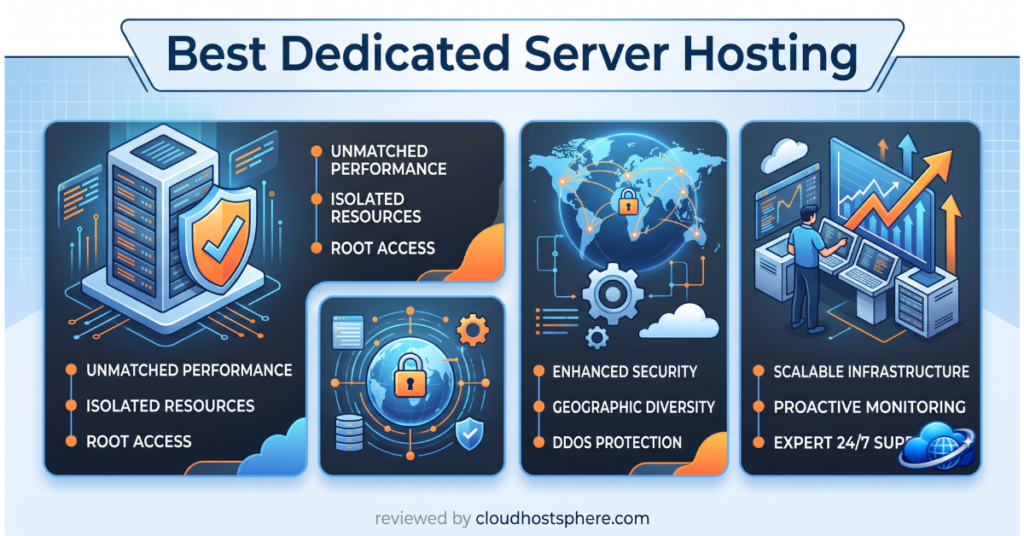
Dedicated servers are the top tier of web hosting — an entire physical server allocated exclusively to your site or application, with no shared resources, no noisy neighbours, and maximum control over your environment. They’re the right choice when VPS resources aren’t enough, when compliance requirements demand dedicated infrastructure, or when you need the raw processing power that only a bare-metal server can deliver. We evaluated four dedicated server providers on hardware quality, managed service depth, network reliability, and support.
Do You Actually Need a Dedicated Server?
Dedicated servers are powerful — and expensive. Before choosing one, confirm you actually need it:
- ✅ You need a dedicated server if: your site consistently exceeds VPS resource limits, you handle sensitive data with strict compliance requirements (PCI, HIPAA), you run resource-intensive applications (large WooCommerce stores, video processing, high-frequency database writes), or you need guaranteed CPU and RAM that can’t be shared
- ⚠️ You may not need one if: a well-configured managed cloud VPS (Cloudways, ScalaHosting) or a high-tier managed WordPress plan would handle your load — these are often more cost-effective and come with better managed services
Managed vs Unmanaged Dedicated Servers
The most important decision before choosing a dedicated server provider is managed vs unmanaged:
- Unmanaged: You get the hardware and network connectivity. OS installation, security hardening, software configuration, patching, and monitoring are entirely your responsibility. Suitable only for experienced sysadmins.
- Managed: The host handles OS updates, security patching, monitoring, and often control panel installation (cPanel/Plesk). You focus on your application. This is what most WordPress site owners and businesses need.
Every host in this roundup offers managed dedicated servers — we don’t recommend unmanaged dedicated hosting for WordPress use cases.
Best Dedicated Server Hosting at a Glance
| Host | Managed | Entry Config | Starting Price | Support | cPanel |
|---|---|---|---|---|---|
| LiquidWeb | ✅ Full | 4-core / 16GB RAM / 2×240GB SSD | ~$199/mo | 24/7/365 US | ✅ Available |
| InMotion Hosting | ✅ Full | 4-core / 8GB RAM / 2×1TB HDD | ~$139/mo | 24/7 | ✅ Included |
| Kamatera | ⚠️ Optional | Custom — build your config | ~$4/mo (cloud) | 24/7 | ⚠️ Add-on |
| ScalaHosting | ✅ Full | 4-core / 8GB RAM / 80GB SSD | ~$99/mo | 24/7 | ⚠️ SPanel included |
🥇 1. LiquidWeb — Best Managed Dedicated Servers Overall
LiquidWeb is our top pick for managed dedicated servers for one fundamental reason: their support. The “Most Helpful Humans in Hosting” positioning isn’t just marketing — in our testing, LiquidWeb’s US-based support team answered complex server configuration questions accurately, quickly, and without escalation. For a dedicated server customer experiencing a production issue at 3am, that matters enormously.
LiquidWeb’s dedicated servers come with their Heroic Support guarantee: 59-second average response on phone and live chat, 59-minute ticket resolution. Hardware is enterprise-grade, all servers include RAID storage for redundancy, and the managed service covers proactive monitoring, OS updates, security patching, and hardware replacement if a component fails. cPanel/WHM is available as an add-on for control panel management.
For WordPress and WooCommerce at the dedicated server tier, LiquidWeb’s Managed WordPress plans built on dedicated infrastructure combine the platform’s WordPress-specific tooling (automated plugin update testing, performance monitoring, iThemes Sync) with dedicated hardware — a combination that makes sense for high-volume WooCommerce stores that have genuinely outgrown cloud VPS.
- ✅ Industry-leading managed support — 59-second response guarantee
- ✅ RAID storage redundancy on all dedicated servers
- ✅ Proactive monitoring — they alert you to issues before you notice them
- ✅ Enterprise hardware in Tier-1 data centres (Michigan, Phoenix, Amsterdam)
- ✅ 100% network and power uptime SLA
- ⚠️ Premium pricing — starts ~$199/mo; higher than budget competitors
Explore LiquidWeb Dedicated Servers →
🥈 2. InMotion Hosting — Best for WordPress-Heavy Workloads
InMotion Hosting offers managed dedicated servers at a more accessible price point than LiquidWeb, with a strong focus on WordPress and business hosting use cases. Their dedicated plans include cPanel/WHM, free SSD caching (a solid-state cache layer that significantly speeds up database queries even on HDD-primary servers), DDoS protection, and a 99.999% uptime SLA. The BoldGrid website builder is included if needed, though most WordPress users will ignore it.
What stands out about InMotion at the dedicated tier is the managed service quality relative to price. Their US-based support team is available 24/7 and handles server-level issues — not just application-level questions. In our tests, support response times were fast and the quality was solid for standard server administration questions. For WordPress-focused operations that need dedicated resources without LiquidWeb’s premium price, InMotion is a strong choice.
- ✅ cPanel/WHM included on all dedicated plans
- ✅ SSD caching layer accelerates database performance
- ✅ 99.999% uptime SLA
- ✅ US-based 24/7 managed support
- ✅ More affordable entry price than LiquidWeb
- ⚠️ HDD storage on entry plans — SSD upgrade costs extra
- ⚠️ Support quality a step below LiquidWeb for complex server issues
Explore InMotion Dedicated Servers →
🥉 3. Kamatera — Best Bare-Metal Flexibility
Kamatera operates differently from traditional dedicated server providers. Rather than fixed hardware configurations, Kamatera lets you build a custom server: choose your CPU count (1–104 vCPUs), RAM (1GB–512GB), storage type and size, and data centre location from 21 global locations. Provisioning takes under 60 seconds — far faster than traditional dedicated server provisioning which can take 24–72 hours.
This flexibility makes Kamatera particularly valuable for use cases with unusual resource profiles — extremely CPU-heavy with moderate RAM, or the reverse — and for operations that need data centre presence in specific geographic regions. The tradeoff is that managed services are optional add-ons rather than included, and the interface is more technical than LiquidWeb or InMotion. For experienced teams who know exactly what they need, Kamatera’s build-your-own model is powerful.
- ✅ Fully custom server configuration — no fixed plan tiers
- ✅ 21 global data centre locations
- ✅ Sub-60-second server provisioning
- ✅ Scalable — resize resources without migrating
- ⚠️ Managed services are optional add-ons, not included by default
- ⚠️ More technical interface — assumes server administration knowledge
- ⚠️ Less WordPress-specific tooling than LiquidWeb or InMotion
4. ScalaHosting — Best Value Managed Dedicated
ScalaHosting’s managed dedicated servers offer a compelling value proposition at the entry tier — starting around $99/month with SSD storage, their proprietary SPanel control panel (a cPanel alternative), SShield real-time security, and free migration. For businesses that need dedicated resources but have a tighter budget than LiquidWeb’s entry pricing allows, ScalaHosting is worth serious consideration.
SPanel is designed to be a full cPanel replacement — it handles WordPress installation, SSL management, email, FTP, and backups — and is included at no extra cost (cPanel licensing adds $20–30/month on competing plans). The SShield security system monitors your server in real time and blocks attacks at the server level. For WordPress sites specifically, ScalaHosting’s managed VPS tier often provides everything a dedicated server would, at a lower price — worth considering before committing to dedicated.
- ✅ SSD storage on all dedicated plans
- ✅ SPanel included (saves cPanel licensing cost)
- ✅ SShield real-time security monitoring
- ✅ Most affordable entry point on this list
- ⚠️ SPanel, not cPanel — transition required for cPanel-familiar teams
- ⚠️ Smaller scale than LiquidWeb or InMotion infrastructure
Explore ScalaHosting Dedicated →
How to Choose a Dedicated Server Provider
- Maximum managed support quality: LiquidWeb — 59-second support response, proactive monitoring, hardware replacement guarantee
- WordPress/WooCommerce focus at dedicated tier: LiquidWeb Managed WordPress on Dedicated, or InMotion
- Budget-conscious dedicated: ScalaHosting — SSD storage, SPanel included, lower entry price
- Custom resource requirements or global data centres: Kamatera — fully configurable, 21 locations, fast provisioning
- Compliance requirements (PCI, HIPAA): LiquidWeb — offers compliant dedicated environments
Frequently Asked Questions
How much traffic needs a dedicated server?
There’s no fixed traffic threshold — it depends on your application’s resource intensity. A high-traffic static blog might run fine on cloud VPS at 500,000 monthly visits; a WooCommerce store with complex queries might need dedicated resources at 50,000. Monitor your VPS CPU and RAM usage: if you’re consistently above 70–80% resource utilisation, a dedicated server or larger VPS tier is the next step.
Is a dedicated server better than a managed VPS?
Not automatically. A well-configured managed cloud VPS (Cloudways on AWS or Google Cloud, for instance) can outperform a lower-spec dedicated server for WordPress workloads, at lower cost and with better scalability. Dedicated servers make sense when you need guaranteed physical resources with no virtualisation overhead, or when compliance requirements demand dedicated hardware.
What is RAID storage on dedicated servers?
RAID (Redundant Array of Independent Disks) mirrors your data across multiple physical drives. If one drive fails, your data is preserved on the other. LiquidWeb includes RAID on all dedicated servers by default. For business-critical sites, RAID storage is an important redundancy layer that shared and cloud hosting can’t replicate at the hardware level.
How long does dedicated server setup take?
Traditional dedicated servers (LiquidWeb, InMotion) typically take 24–72 hours to provision — hardware must be physically allocated, imaged, and tested. Kamatera’s cloud-based bare-metal provisions in under 60 seconds. Plan for provisioning time when choosing a provider if you’re working to a deadline.
Final Recommendation
For most businesses graduating to dedicated hosting, LiquidWeb is the benchmark: the managed service quality, proactive monitoring, and support response speed justify the premium over budget competitors. InMotion is the right choice for WordPress-focused operations that need managed dedicated at a lower entry price. Kamatera suits technically experienced teams who need full hardware configurability or specific geographic data centre locations. ScalaHosting provides the most accessible entry point for businesses testing the dedicated tier before committing to higher spend.
🚀 Enterprise Dedicated Hosting With Real 24/7 Support
LiquidWeb dedicated servers include proactive monitoring, RAID redundancy, a 59-second support response guarantee, and 100% network uptime SLA — for sites where downtime is not an option.
Explore LiquidWeb Dedicated Servers →If you sign up through our link, we may earn a commission at no extra cost to you. Read our full affiliate disclosure.