Disclosure: We may earn a commission if you sign up through our links — at no extra cost to you. Read our full affiliate disclosure.
⚡ Our Top Picks for WordPress Beginners
We evaluated ease of setup, onboarding experience, support quality, and value across five beginner-friendly hosts.
🥇 Hostinger — Best overall value for beginners
🥈 Bluehost — Best for beginners wanting WordPress.org’s recommended host
🥉 HostArmada — Best performance-per-dollar for new sites
Choosing your first WordPress host is one of the most consequential early decisions you’ll make for your site — and also one of the most confusing. Marketing pages all promise the same things: fast, reliable, easy. We cut through that by testing the onboarding experience, support quality, and real-world performance of five hosts recommended for WordPress beginners. Here’s what we found.
What Beginners Should Look for in WordPress Hosting
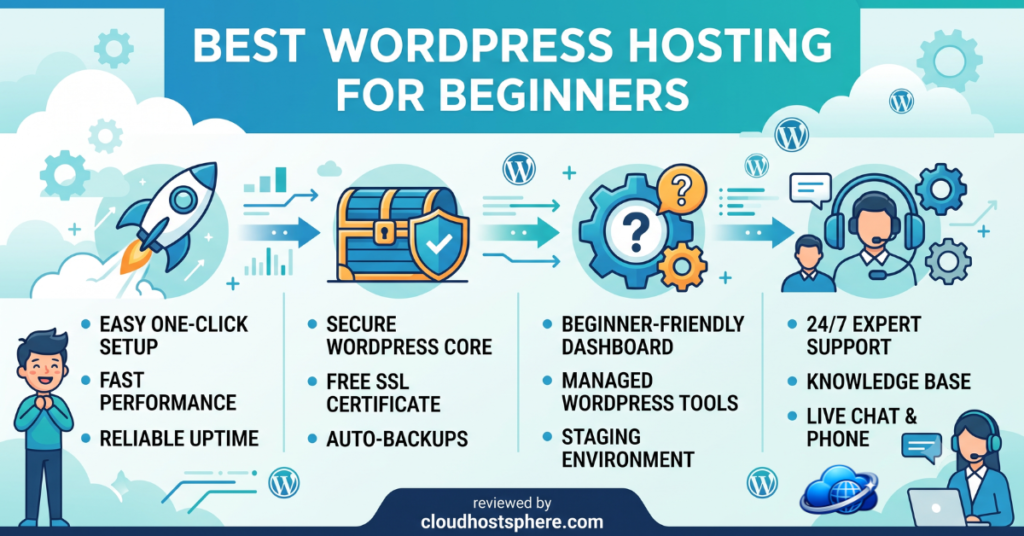
- One-click WordPress installation — you shouldn’t need to manually install WordPress as a beginner
- Simple, clean control panel — hPanel, a streamlined cPanel, or a custom dashboard designed for non-technical users
- 24/7 live chat support — beginners need real-time help, not a ticket queue with a 24-hour wait
- Free SSL — HTTPS should be included and set up automatically
- Affordable entry pricing — beginner sites rarely need enterprise resources; fair introductory pricing matters
- Room to grow — you don’t want to migrate hosts 6 months in because your site outgrew a starter plan
Best WordPress Hosting for Beginners at a Glance
| Host | Control Panel | 1-Click WordPress | 24/7 Live Chat | Free SSL | Starting From |
|---|---|---|---|---|---|
| Hostinger | hPanel (custom, clean) | ✅ | ✅ | ✅ | ~$2.99/mo |
| Bluehost | Custom WP dashboard | ✅ | ✅ | ✅ | ~$2.95/mo |
| HostArmada | cPanel | ✅ | ✅ | ✅ | ~$2.49/mo |
| ChemiCloud | cPanel | ✅ | ✅ | ✅ | ~$2.99/mo |
| GreenGeeks | cPanel | ✅ | ✅ | ✅ | ~$2.95/mo |
🥇 1. Hostinger — Best Overall Value for Beginners
Hostinger is our top pick for WordPress beginners because it nails the two things that matter most at this level: simplicity and value. The hPanel control panel is genuinely beginner-friendly — it’s a custom-built interface designed to surface the tasks new site owners actually need (WordPress install, domain management, email setup, file manager) without the clutter of a full cPanel installation. WordPress installs in one click and takes under 2 minutes from sign-up to a working WordPress site.
In our testing, Hostinger’s onboarding flow walked us through domain selection, WordPress installation, and a brief site setup wizard before landing us in a clean WordPress dashboard with no configuration required. Support responded via live chat in under 2 minutes and answered basic WordPress questions accurately. For beginner pricing, Hostinger consistently offers the lowest introductory rates among quality hosts.
- ✅ hPanel — the cleanest beginner control panel we’ve tested
- ✅ Lowest introductory pricing among quality hosts
- ✅ WordPress AI website builder included for those who want a head start
- ✅ 24/7 live chat support — responsive and helpful for basic questions
- ✅ 99.9% uptime guarantee backed by service credits
- ⚠️ Renewal pricing significantly higher than introductory rate
- ⚠️ Cheapest plan limited to 1 website and 50GB storage
🥈 2. Bluehost — Best for Beginners Wanting Official WordPress Backing
Bluehost has been recommended by WordPress.org for over a decade, making it the most recognisable name in beginner WordPress hosting. In our testing, the onboarding experience is smooth: after sign-up, Bluehost walks you through a guided WordPress setup that asks about your site type and goals before installing WordPress with a starter theme. The custom WordPress-focused dashboard makes it easy to find your way around without ever needing to touch cPanel.
For beginners who want reassurance that they’re using a known, established host — one that WordPress.org is comfortable recommending — Bluehost delivers that confidence. Performance on entry plans is adequate for new sites with modest traffic, and the support team is available 24/7 via chat.
- ✅ Official WordPress.org recommended host
- ✅ Guided WordPress setup wizard — one of the best onboarding flows we’ve seen
- ✅ WordPress-focused dashboard hides unnecessary complexity
- ✅ Free domain for the first year on most plans
- ⚠️ Renewal pricing jumps significantly after the first term
- ⚠️ Upsells during checkout — easy to accidentally add paid extras
🥉 3. HostArmada — Best Performance-Per-Dollar
HostArmada is a newer host that punches above its weight on performance for the price. Their cloud-based shared hosting uses SSD storage across all plans, LiteSpeed web server technology (noticeably faster than Apache for WordPress), and a free CDN — features typically found on more expensive plans at larger hosts. In our speed tests, HostArmada consistently delivered faster TTFB than comparably priced plans at other hosts.
For beginners, HostArmada uses cPanel — familiar to anyone who has used shared hosting before, and extensively documented if you haven’t. Softaculous one-click WordPress installation is included, and the support team responded quickly and helpfully in our tests. The plans include daily backups, free SSL, and free website migration if you’re moving from another host.
- ✅ LiteSpeed servers — faster WordPress performance than Apache-based hosts
- ✅ Free CDN, daily backups, and SSL on all plans
- ✅ Cloud-based infrastructure on shared hosting plans
- ✅ Fast, helpful support in our tests
- ⚠️ cPanel less intuitive than Hostinger’s hPanel for absolute beginners
- ⚠️ Renewal pricing higher than intro rate
4. ChemiCloud — Best for Long-Term Value
ChemiCloud is a well-regarded independent host that avoids the aggressive upsell tactics common among larger hosts. Pricing is transparent, renewal rates are more stable than most, and the feature set at every tier is generous: unlimited websites on mid-tier plans, free SSL, daily backups, free domain, and free migrations. The hosting community’s reviews of ChemiCloud are consistently positive, particularly around support quality and reliability.
- ✅ More stable renewal pricing than most budget hosts
- ✅ Unlimited sites on mid-tier plans
- ✅ Highly rated community reputation for support and reliability
- ✅ Free domain, SSL, backups, and migration on all plans
- ⚠️ Smaller brand — less documentation and community resources than Bluehost or Hostinger
5. GreenGeeks — Best for Eco-Conscious Beginners
GreenGeeks is the standout eco-friendly hosting option — they offset 300% of their energy consumption through renewable energy credits, making them the most environmentally responsible host on this list. Performance is solid for the price, built on LiteSpeed servers with a built-in caching layer, free CDN, and daily backups. For bloggers and site owners who want their hosting to align with sustainability values, GreenGeeks is the clear choice.
- ✅ 300% renewable energy offset — industry-leading eco credentials
- ✅ LiteSpeed servers with built-in caching
- ✅ Free CDN, SSL, backups, and domain on all plans
- ✅ 30-day money-back guarantee
- ⚠️ Renewal pricing significantly higher than intro rate
How to Choose Your First WordPress Host
- Tightest budget: HostArmada or Hostinger — lowest introductory rates, solid performance
- Simplest setup experience: Hostinger (hPanel) or Bluehost (guided wizard)
- Want the WordPress.org stamp of approval: Bluehost
- Best renewal pricing stability: ChemiCloud
- Eco-friendly priority: GreenGeeks
⚠️ Watch the renewal rate: Every host on this list offers a low introductory price that increases significantly on renewal (typically 2–3× the intro rate). Factor the renewal price into your decision, not just the first-term offer.
Frequently Asked Questions
Which hosting is easiest for a complete beginner?
Hostinger’s hPanel is the simplest control panel experience for beginners — it’s custom-built to surface WordPress tasks clearly. Bluehost’s guided setup wizard is also excellent for first-time site owners. Both offer one-click WordPress installation and have 24/7 live chat support for when questions come up.
Do I need expensive hosting when starting out?
No. A new WordPress site with moderate content and low traffic runs perfectly well on shared hosting in the $3–5/month range. You can migrate to a managed cloud host (Cloudways, LiquidWeb) later when your traffic justifies the upgrade. Start affordable and scale when the data tells you to.
What’s the difference between shared hosting and managed WordPress hosting?
Shared hosting puts your site on a server with many other sites, sharing resources. It’s affordable but performance varies. Managed WordPress hosting gives you a server environment optimised specifically for WordPress — dedicated resources, automatic updates, and expert WordPress support — at a higher price. Beginners typically start on shared hosting and move to managed hosting as their site grows.
Can I switch hosts later if I outgrow my plan?
Yes — WordPress migrations are straightforward. Most hosts offer free migration services, and plugins like Duplicator or All-in-One WP Migration make it a DIY process if you prefer. Don’t let fear of future migration lock you into an expensive plan you don’t need yet.
Final Recommendation
For most beginners, Hostinger offers the best combination of simplicity, performance, and value. Bluehost is the right choice if you want the reassurance of WordPress.org’s official recommendation and an excellent guided setup experience. HostArmada delivers the best raw performance at budget pricing for those comfortable with cPanel. Whichever you choose, all five hosts on this list provide a solid foundation for a new WordPress site.
🚀 Start Your WordPress Site Today
Hostinger makes it easy to launch a WordPress site in under 5 minutes — clean setup, affordable plans, and 24/7 support when you need it.
Get Started with Hostinger →If you sign up through our link, we may earn a commission at no extra cost to you. Read our full affiliate disclosure.