⚡ What This Review Covers
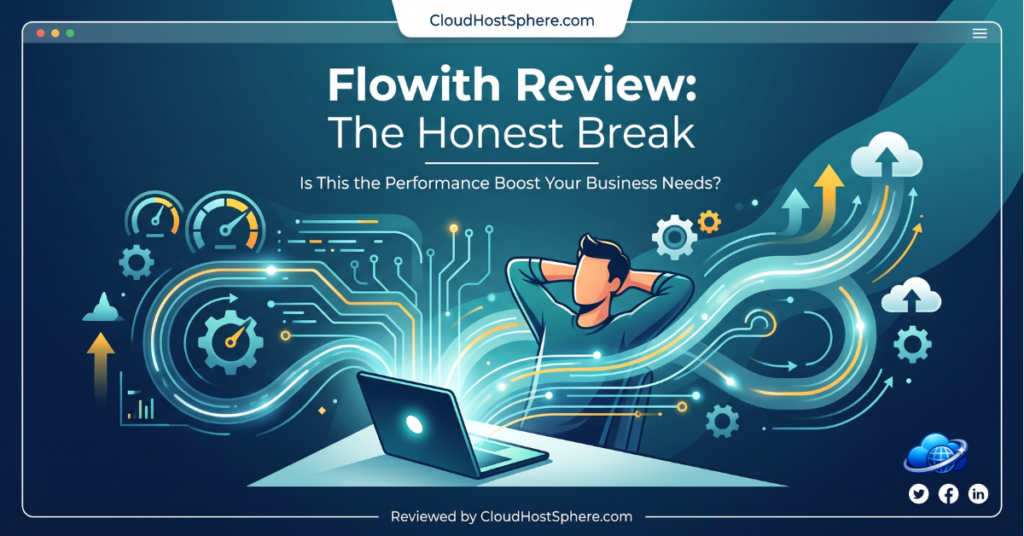
If you’re tired of linear AI chats that bury your best ideas and force you to start over every time, Flowith might be the shift you’ve been looking for. This review breaks down what Flowith actually is, how its canvas and Agent Neo work in real projects, the pricing and credit system, and whether the tool is worth your time and money.
✅ You’ll learn: The core features that matter, honest pros and cons from testing, exact pricing details, and who should actually sign up.
What Is Flowith?
Flowith is an AI workspace built around an infinite canvas instead of a traditional chat window. You work with prompts, responses, images, and tasks as visual nodes that you can branch, connect, and revisit.
At the center is Agent Neo, an autonomous agent that can plan and execute multi-step work on its own while you move on to other things. It maintains a huge context window and keeps going until the goal is done.
The platform also includes a Knowledge Garden where you upload your own documents so the AI works from your actual material instead of guessing.
Key Features
The infinite canvas lets you see multiple versions of an idea side by side instead of scrolling through one long thread.
Agent Neo handles research, content creation, image generation, slide decks, and even simple websites from a single high-level goal.
You get access to 40+ models in one place, including strong options for text and images. Switch models on different nodes without losing the overall project.
The Knowledge Garden breaks your uploaded files into reusable pieces so responses stay grounded in your own data.
The model list now includes newer image and video models such as GPT Image 2.5, Nano Banana Pro, Seedance 2.5, Seedream 5.0 Flash and Kling V2.6 Pro. Image and video batch mode is available on paid plans, so you can run several generations at once.
How to Use It
Start by signing up for the free Starter plan. No credit card is required.
Create a new canvas and drop in your goal in plain language. Agent Neo will break it into steps and start working.
Watch the nodes appear on the canvas as it progresses. You can branch off ideas, compare outputs from different models, or give additional direction at any point.
When it finishes, export the results or continue refining directly on the canvas.
Pros and Cons
After working with it on research and content tasks, here is the balanced picture.
What Works Well
- The canvas makes complex, branching work much easier to manage visually.
- Agent Neo can run long tasks autonomously without constant prompting.
- Knowledge Garden helps keep outputs accurate by grounding them in your own files.
- Access to many models in one workspace saves switching between tools.
- Real-time collaboration on the same canvas is useful for teams.
Where It Falls Short
- The credit system can burn through your allowance quickly on image or video work.
- There is a real learning curve to get comfortable with the canvas and agent workflow.
- The free Starter plan gives very limited one-time credits.
- Credit rates and consumption can feel unpredictable for heavy users.
Pricing Plans
Flowith uses a credit-based system. Credits reset monthly on paid plans and do not roll over.
Starter is free with 300 one-time credits and limited model access. It is enough to test the canvas but not for regular work.
Pro costs $19.90 per month, or $17.91 per month on yearly billing ($214.92 a year). It includes 20,000 monthly credits plus $4 of free generations, access to 40+ models, 50 concurrent tasks, and a commercial license.
Ultimate steps up to $49.90 per month ($44.91 per month billed yearly) with 50,000 credits, $38 of free generations and higher limits. Infinite is the high-volume tier at $499.90 per month ($399.92 per month billed yearly) with 500,000 credits, $188 of free generations and unlimited concurrent tasks.
The free generations are a monthly allowance for specific image and video models, separate from your credits. Annual Ultimate and Infinite plans also add the Unlimited Pack, which lets you use selected models like GPT Image 2, Nano Banana 2 and Seedream 5.0 Flash without spending credits. Unlimited jobs run in a lower-priority queue under a fair-use policy, so expect slower output at busy times.
Frequently Asked Questions
Is Flowith free to use?
Yes, there is a permanent Starter plan with 300 one-time credits. Most people move to a paid plan after testing because the free credits run out quickly on real projects.
What does Agent Neo actually do?
It takes a goal and autonomously plans steps, uses tools, researches, and produces results across the canvas without you having to prompt every single part.
Will the credits be enough for regular use?
It depends on your workload. Text work is relatively light. Image and video generation or long autonomous agent runs consume credits much faster.
Is there a learning curve?
Yes. The canvas and agent workflow feel different from normal chat tools. Most users need some time to get comfortable with branching and letting the agent run.
Final Verdict
Flowith stands out if your work involves complex, multi-step projects where seeing everything laid out visually helps. The canvas and Agent Neo genuinely change how you interact with AI for research, content, and creative tasks.
The credit system is the main thing to watch. Start with the free tier, run one real project, and see how fast your credits move before committing to a paid plan.
If you do deep, branching work and value the visual workspace, it is one of the more interesting options available right now.
🚀 Ready to Try Flowith?
Start free with 300 credits, or go Pro from $17.91/month billed yearly for 20,000 monthly credits, free image and video generations, 40+ AI models and a commercial license.
Try Flowith Free →Affiliate disclosure: We earn a commission if you purchase — at no extra cost to you. Read our full disclosure.
Last updated: November 2026. Pricing and features checked against the official Flowith website.