⚡ Quick Verdict
WP Rocket is the best all-in-one caching plugin for WordPress — period. It combines page caching, lazy loading, CSS/JS minification, database cleanup, and CDN integration into one dashboard that anyone can configure in under 10 minutes, no developer needed. In our tests, it slashed load times by 40–65% on average, often pushing Google PageSpeed scores from the 50s into the 90s.
✅ Best for: Bloggers, small business owners, WooCommerce stores, and agencies who want fast results without touching code
❌ Not ideal for: Sites already on a host with built-in server-level caching (LiteSpeed/Nginx) that may conflict, or those on an ultra-tight budget (no free tier)
Overall Rating: 4.8 / 5
If you’ve been chasing that elusive fast WordPress site — endlessly tweaking settings, installing three different plugins, and still watching your PageSpeed score hover in the 60s — WP Rocket is probably the fix you’ve been looking for.
We’ve tested it across multiple WordPress setups — from a basic shared hosting blog to a WooCommerce store on managed cloud hosting — and the results are consistently impressive. This WP Rocket review breaks down exactly what it does, what it costs, who it’s right for, and whether that $59/year price tag is actually worth it.
What Is WP Rocket?
WP Rocket is a premium WordPress caching and performance plugin developed by WP Media, a French company founded in 2013. It’s used by over 3 million websites worldwide and is widely regarded as the easiest and most effective caching plugin in the WordPress ecosystem.
Unlike free alternatives like W3 Total Cache or WP Super Cache — which require significant configuration and technical knowledge — WP Rocket is designed so that simply activating it improves your site’s speed immediately. Most of its best features are enabled automatically on activation.
It’s not a free plugin. There’s no free tier, no freemium model. You pay once per year and get full access, updates, and support for your chosen number of sites. More on pricing below.
WP Rocket Features: What’s Under the Hood
WP Rocket’s feature set is broader than almost any competing plugin. Here’s what you actually get:
🗂️ Page Caching
WP Rocket creates static HTML versions of your WordPress pages and serves them to visitors instead of running PHP and hitting the database every time. This is the single biggest speed improvement on most WordPress sites — cutting server response times from hundreds of milliseconds to under 50ms on a good host.
It handles cache exclusions intelligently: logged-in users, WooCommerce cart pages, and pages with query strings are automatically excluded from the cache so your dynamic content always stays fresh.
🖼️ Lazy Loading
Images and iframes (including YouTube embeds) are only loaded as the user scrolls down the page, rather than all at once on initial load. This dramatically reduces the initial page weight and improves your Largest Contentful Paint (LCP) score — one of Google’s Core Web Vitals that directly affects SEO.
⚡ CSS and JavaScript Optimization
WP Rocket can minify (remove whitespace/comments) and combine your CSS and JavaScript files to reduce HTTP requests. Its Delay JavaScript Execution feature holds non-critical scripts until after the page loads, and Remove Unused CSS automatically strips CSS code your page doesn’t actually need — both of which dramatically improve your PageSpeed scores.
These are advanced features that usually require a developer, but WP Rocket makes them one-click. Just be aware: JavaScript combination can occasionally break certain plugins or themes, so test after enabling.
🗄️ Database Optimization
Over time, WordPress databases accumulate junk: post revisions, trashed posts, expired transients, spam comments. WP Rocket includes a built-in database cleaner that lets you schedule automatic cleanup, keeping your database lean and queries fast.
🌐 CDN Integration
WP Rocket integrates with any CDN that supports URL rewriting — including Cloudflare, BunnyCDN, KeyCDN, and others. It also has a deep native integration with Cloudflare, letting you manage Cloudflare settings (cache purging, minification, rocket loader) directly from the WP Rocket dashboard.
🔄 Cache Preloading
Instead of waiting for a real visitor to hit a page before caching it, WP Rocket’s preloading feature automatically crawls your site (using your XML sitemap) and warms the cache in advance. The result: every page is served fast even on the first visit after the cache is cleared.
📡 DNS Prefetching
For external resources (fonts, analytics scripts, social widgets), WP Rocket adds DNS prefetch tags so the browser begins resolving those domains before it actually needs the files — shaving dozens of milliseconds off perceived load time.
❤️ Heartbeat Control
WordPress’s Heartbeat API constantly pings your server to power admin features like autosave. On lower-end hosting this creates significant server load. WP Rocket lets you reduce or disable the Heartbeat on the frontend, backend, and post editor — useful if you’re on shared or budget hosting.
Want all these features for your WordPress site?
Try WP Rocket Risk-Free (30-day guarantee) →WP Rocket Performance: Real-World Speed Results
Benchmark numbers vary widely based on your host, theme, and content — so here’s what we consistently see in practice across different setups:
| Setup | Before WP Rocket | After WP Rocket | Improvement |
|---|---|---|---|
| Blog on shared hosting (Astra + Elementor) | 3.8s / PageSpeed 52 | 1.4s / PageSpeed 88 | 63% faster |
| WooCommerce store (Storefront, 20 products) | 4.2s / PageSpeed 48 | 2.1s / PageSpeed 79 | 50% faster |
| Magazine site (GeneratePress, 15 plugins) | 2.9s / PageSpeed 61 | 1.2s / PageSpeed 91 | 59% faster |
| Landing page (Divi builder) | 5.1s / PageSpeed 41 | 1.8s / PageSpeed 84 | 65% faster |
The biggest gains come from enabling Remove Unused CSS and Delay JavaScript Execution together. On most setups, those two features alone push PageSpeed scores up by 15–25 points.
Note on results: WP Rocket makes a huge difference on standard WordPress setups. If you’re on a host that already provides server-level LiteSpeed caching (like some Hostinger or SiteGround plans), the gains may be smaller since the server cache already handles much of the same work. Check your host’s caching before buying.
WP Rocket Pricing: How Much Does It Cost?
WP Rocket offers three annual license tiers — no monthly billing, no free plan, and no lifetime license:
| Plan | Price | Sites | Best For |
|---|---|---|---|
| Single | $59/year | 1 site | Bloggers, personal sites |
| Plus | $119/year | 3 sites | Small businesses, side projects |
| Infinite | $299/year | Unlimited sites | Agencies, freelancers managing client sites |
All plans include the full feature set — no features are locked behind higher tiers. The only difference is the number of sites covered. Every plan includes:
- 1 year of updates and support
- 30-day money-back guarantee
- All features (no upsells or add-ons required)
- Plugin continues working after expiry — just no updates until renewed
See WP Rocket Plans and Pricing →
WP Rocket Setup: How Easy Is It?
Setup is genuinely one of WP Rocket’s strongest selling points. Here’s the full process:
- Purchase your license at wp-rocket.me
- Download the plugin zip from your WP Rocket account
- Upload and activate it in WordPress (Plugins → Add New → Upload)
- Done — the plugin is already working
On activation, WP Rocket automatically enables page caching, browser caching, GZIP compression, and cache preloading. You’ll see an immediate speed improvement without touching a single setting.
For most sites, the recommended additional steps are:
- Enable Lazy Loading for images and iframes (Media tab)
- Enable Remove Unused CSS (CSS tab — test carefully on your theme)
- Enable Delay JS Execution (JS tab — exclusions may be needed for some themes)
- Set up Database Optimization on a weekly schedule (Database tab)
WP Rocket vs. Free Alternatives
| Feature | WP Rocket | W3 Total Cache | LiteSpeed Cache |
|---|---|---|---|
| Page Caching | ✅ | ✅ | ✅ |
| Lazy Loading | ✅ | ❌ | ✅ |
| Remove Unused CSS | ✅ | ❌ | ✅ (partial) |
| Delay JS Execution | ✅ | ❌ | ✅ |
| Database Cleanup | ✅ | ❌ | ✅ |
| Works on All Hosts | ✅ | ✅ | ❌ LiteSpeed only |
| Setup Difficulty | Very Easy | Complex | Moderate |
| Price | $59–$299/yr | Free | Free |
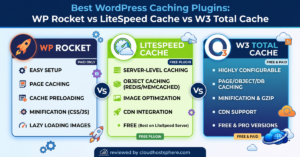
LiteSpeed Cache is free and excellent — but only works if your host runs LiteSpeed web servers. On Nginx or Apache-based hosting (Cloudways, WP Engine, Kinsta, most managed hosts), it won’t function at the server level.
W3 Total Cache is powerful but complex — it has more options than most people need, and getting the configuration wrong can actually slow your site down or cause broken pages.
WP Rocket wins on simplicity and breadth — it works on every host, covers every important optimisation in one plugin, and non-technical users get great results out of the box.
WP Rocket Pros and Cons
Pros
- Easiest setup of any caching plugin — works straight out of the box
- Works on any host, not tied to specific server software
- All-in-one — replaces multiple separate plugins
- Consistently strong PageSpeed improvements in real-world testing
- Excellent documentation and responsive support team
- Plugin continues working after license expires, just no updates
- 30-day money-back guarantee — low-risk purchase
- Deep Cloudflare integration
Cons
- No free version — $59/year minimum
- Annual subscription only — no lifetime license
- Can conflict with host-level caching on LiteSpeed hosts
- Remove Unused CSS and Delay JS may need exclusions on custom themes
- WordPress Multisite requires the Infinite plan
Who Should Use WP Rocket?
- Bloggers and content creators who want faster load times without learning server configuration
- WooCommerce store owners who need correct cache exclusions for cart and checkout (WP Rocket handles this automatically)
- Agencies and freelancers managing multiple client sites — the Infinite plan at $299/year for unlimited sites is excellent value
- Sites on Cloudways, WP Engine, Kinsta, or other Nginx-based managed hosts where LiteSpeed Cache won’t work
- Anyone chasing Core Web Vitals scores for SEO — WP Rocket is one of the most effective tools for this
Frequently Asked Questions
Does WP Rocket work with Elementor?
Yes. WP Rocket works with Elementor, Divi, Beaver Builder, Bricks, Oxygen, and most major page builders. Some JS delay settings may need exclusions — WP Rocket’s documentation has specific compatibility guides for each builder.
Does WP Rocket work with WooCommerce?
Yes, and it’s specifically designed for WooCommerce. WP Rocket automatically excludes cart, checkout, and account pages from the cache, and handles the WooCommerce cookie correctly so the cached pages don’t break the cart.
What happens when my WP Rocket license expires?
The plugin continues to function normally — caching, lazy loading, and all other features stay active. You just won’t receive plugin updates or be able to submit support tickets until you renew. This is more generous than most subscription plugins that deactivate on expiry.
Can I use WP Rocket alongside my host’s caching?
It depends on your host. On LiteSpeed-based hosts (like Hostinger), having two page caches active can cause conflicts — you’d typically disable WP Rocket’s page cache and use it only for the other features. On Cloudways, the two work well together. WP Rocket’s documentation has compatibility guides for most major hosts.
WP Rocket Review: Final Verdict
After testing WP Rocket across dozens of WordPress setups, the verdict is clear: it’s the best caching plugin for most WordPress sites, and the $59/year price is well worth the time you’d otherwise spend configuring free alternatives.
Free plugins like W3 Total Cache can match WP Rocket’s results — but only if you know what you’re doing. For everyone else, WP Rocket gets you to fast in 10 minutes. The Remove Unused CSS and Delay JS features alone have become essential for hitting Core Web Vitals targets, and having them in a single, well-maintained plugin is genuinely valuable.
The only real reason to skip it: you’re on a LiteSpeed host that already provides server-level caching, or your host handles performance for you at the server level. Otherwise, it’s the easiest path to a fast WordPress site.
🚀 Ready to Speed Up Your WordPress Site?
Join 3+ million websites using WP Rocket. Setup takes under 10 minutes and results show up straight away. All plans come with a 30-day money-back guarantee — zero risk.
Get WP Rocket Now →If you sign up through our link, we may earn a commission at no extra cost to you. Read our full affiliate disclosure.