⚡ Quick Verdict
Kinsta is one of the finest managed WordPress hosting platforms in 2026 — but it comes with a price tag that demands justification. Built entirely on Google Cloud’s premium tier network with C2D virtual machines, Kinsta delivers genuinely elite performance, a beautifully designed control panel (MyKinsta), 24/7 expert-only support, and deep Cloudflare integration out of the box. It is particularly strong for agencies, SaaS teams, and WooCommerce stores that need reliable high performance without the complexity of managing server infrastructure themselves. The trade-off: no phone support, no email hosting, and plans that start at $35/month — which is expensive compared to Cloudways or Hostinger but reasonable given the fully managed nature of the service.
✅ Best for: Agencies, developers, WooCommerce stores, and WordPress publishers who want Google Cloud performance without managing servers.
❌ Not ideal for: New bloggers, hobby sites, businesses needing bundled email hosting, or anyone whose traffic doesn’t justify the Starter plan’s 25,000 monthly visit ceiling.
Overall Rating: 4.7 / 5
What Is Kinsta?
Founded in 2013 and headquartered in Los Angeles, Kinsta entered the managed WordPress hosting market with a single distinguishing proposition: run WordPress exclusively on Google Cloud Platform’s premium-tier infrastructure. In an era when most managed hosts ran on commodity hardware or resold standard cloud resources, Kinsta’s bet on Google Cloud gave it a measurable performance and reliability advantage that it has maintained through 2026. Kinsta now hosts over 120,000 businesses across 37 Google Cloud data centres and has expanded from pure WordPress hosting into application hosting, database hosting, and static site hosting — all managed from a single unified dashboard called MyKinsta.
Kinsta Plans & Pricing
Kinsta’s pricing model is WordPress-install based — each plan allocates a set number of WordPress installs and monthly visitor limits. All plans are fully managed with the same core feature set; higher tiers simply scale up site count, visitor limits, storage, and PHP workers.
⚠️ Pricing below is based on publicly available Kinsta data as of May 2026. Annual billing saves approximately 2 months — always verify current rates at kinsta.com/plans before purchasing.
WordPress Hosting Plans
| Plan | WP Installs | Monthly Visits | SSD Storage | Price (Monthly) |
|---|---|---|---|---|
| Starter | 1 | 25,000 | 10 GB | ~$35/mo |
| Pro | 2 | 50,000 | 20 GB | ~$70/mo |
| Business 1 | 5 | 100,000 | 30 GB | ~$115/mo |
| Business 2 | 10 | 250,000 | 40 GB | ~$225/mo |
| Business 3 | 20 | 400,000 | 50 GB | ~$340/mo |
| Business 4 | 40 | 600,000 | 60 GB | ~$675/mo |
| Enterprise 1 | 60 | 1,000,000 | 100 GB | ~$1,350/mo |
| Enterprise 2 | 100 | 1,500,000 | 200 GB | ~$1,650/mo |
What is included on every Kinsta plan:
- Google Cloud C2D virtual machines (premium tier network)
- Free SSL certificates via Cloudflare (auto-renewing)
- Cloudflare CDN with global edge caching included
- Cloudflare DDoS protection at enterprise level
- Daily automated backups (2-week retention; hourly on Business+ plans)
- One-click staging environment on all plans
- Free site migrations handled by Kinsta’s team
- PHP 8.x, Nginx web server, Redis object caching
- Kinsta APM (Application Performance Monitoring) tool — free
- 24/7 live chat support staffed entirely by WordPress engineers
- 99.9% uptime guarantee with SLA
- DevKinsta free local development tool
What is NOT included:
- Email hosting — requires Google Workspace, Zoho, or similar separately
- Domain registration — use Namecheap, Cloudflare Registrar, or similar
- Phone support — Kinsta is live chat only on all plans
Explore Kinsta WordPress Hosting Plans →
Performance & Speed
Performance is Kinsta’s primary selling point, and it is one area where the Google Cloud infrastructure advantage is genuinely measurable. Kinsta’s performance edge over budget shared hosting is obvious; the more interesting comparison is how it stacks up against other premium managed hosts.
Google Cloud C2D Virtual Machines
Kinsta runs on Google Cloud’s C2D compute-optimized instances — machines built around AMD EPYC processors optimised for high single-threaded performance. This matters for WordPress because PHP execution is largely single-threaded; faster per-core performance directly translates to faster page generation times. Google Cloud’s premium tier network routes traffic via Google’s private global fibre network rather than the public internet, reducing latency and packet loss compared to standard-tier cloud hosting.
37 Global Data Centres
With 37 data centre regions across North America, South America, Europe, Asia, and Australia, Kinsta offers significantly more geographic reach than LiquidWeb (3 locations) and meaningfully more than WP Engine. Choosing the data centre closest to your primary audience reduces Time to First Byte (TTFB) — a ranking factor Google has explicitly acknowledged. Kinsta allows you to select your data centre at site creation and migrate between regions with minimal downtime.
The Full Performance Stack
- Nginx web server — stateless, event-driven, handles concurrent connections efficiently
- PHP-FPM with OPcache — compiled PHP bytecode cached in memory for faster execution
- Redis object caching — available on all plans, caches database queries in memory
- Kinsta MU (Must-Use) Plugin — manages cache clearing, CDN integration, and performance monitoring directly from WordPress
- Cloudflare CDN — static assets served from Cloudflare’s global edge network; reduces origin load and accelerates delivery worldwide
- PHP workers — each plan allocates a specific number of PHP workers controlling how many simultaneous PHP requests the server handles; upgradable as an add-on
The 99.9% Uptime SLA
Kinsta offers a 99.9% uptime SLA, which translates to approximately 8.7 hours of allowable downtime per year. This is a strong guarantee for a managed WordPress host, though it falls short of LiquidWeb’s contractual 100% SLA with financial compensation. In practice, Kinsta’s uptime performance has historically tracked above 99.95% based on independently published monitoring data — the SLA is a floor, not a ceiling.
Performance data sourced from Kinsta’s official technical documentation, Google Cloud infrastructure specifications, and independent hosting benchmark reports published as of May 2026.
Start With Kinsta — Google Cloud Performance →
MyKinsta Dashboard — Ease of Use
MyKinsta is, by industry consensus, the most polished management dashboard in managed WordPress hosting. It is purpose-built for WordPress and WooCommerce site management — not a generic hosting control panel adapted for WordPress.
What MyKinsta Includes
- Site overview dashboard — real-time PHP worker usage, bandwidth, cache hit ratio, and active visitor count
- One-click staging — create, push to live, or selectively push specific files or database changes
- Backups manager — manual and automatic backups with one-click restore; downloadable to external storage
- Kinsta APM — free application performance monitoring that identifies slow plugins, slow database queries, and PHP bottlenecks without requiring third-party tools
- Search & Replace tool — built-in database search and replace (invaluable for site migrations or URL updates)
- Redirect manager — create server-level 301/302 redirects without plugins
- IP blocking — block specific IP ranges or geolocation-based traffic at server level
- PHP version selector — switch between PHP versions per site without support tickets
- SFTP / SSH access — full terminal access with individual credentials per site
- DNS manager — Kinsta provides free Kinsta DNS (powered by Amazon Route 53) included in all plans
For agencies managing multiple client sites, MyKinsta’s multi-site view and role-based team access (Admin, Developer, Billing Manager roles) make client site management genuinely efficient. You can grant a client billing-only access while retaining full technical control.
Ease of use rating: 4.8 / 5 — The best-designed managed WordPress dashboard currently available. Even WordPress beginners adapt quickly; developers appreciate the SSH access and Git deployment support.
Customer Support Quality
Kinsta’s support model is built around a single principle: every person who answers a support chat is a WordPress engineer — not a first-line support agent reading from scripts. This is a meaningful operational difference from most hosting companies.
Support Channels & Response Times
| Channel | Availability | Typical Response |
|---|---|---|
| Live Chat | 24/7/365 | Under 2 minutes (typical) |
| Ticket / Email | 24/7/365 | Under 2 hours |
| Phone | Not available | — |
| Knowledge Base | 24/7 | Self-service |
The absence of phone support is a notable gap compared to LiquidWeb’s 59-second phone guarantee. For most WordPress agencies and developers, chat support from a genuine WordPress engineer is entirely sufficient — but businesses that need a phone contact for escalation (enterprise teams, regulated industries) should weigh this carefully against LiquidWeb or WP Engine’s enterprise options.
Kinsta also maintains one of the most comprehensive WordPress knowledge bases in the industry — thousands of detailed technical articles, tutorials, and how-to guides covering everything from plugin conflicts to server-level debugging.
Support rating: 4.6 / 5 — Expert-only chat support is excellent; loss of one point for no phone option and slower response compared to LiquidWeb’s contractual 59-second guarantee.
Try Kinsta — WordPress Expert Support 24/7 →
Security Features
Kinsta’s security infrastructure leverages both Google Cloud’s enterprise-grade underlying platform and Cloudflare’s global network, creating a two-layer defence that most managed WordPress hosts cannot match without additional cost.
Cloudflare Enterprise Integration
Every Kinsta site runs behind Cloudflare’s enterprise-tier network — the same infrastructure Fortune 500 companies pay thousands of dollars per month to access separately. This provides DDoS mitigation at scale (capable of absorbing multi-Tbps attacks), Web Application Firewall (WAF) rules updated in real-time against emerging threats, bot management filtering out malicious automated traffic, and global Anycast routing that minimises attack surface.
Google Cloud Platform Security
- Hardware-level isolation between customers (no shared CPU or memory with other accounts)
- Automatic security patching at OS and hypervisor level
- Encrypted data at rest and in transit
- Google’s internal threat intelligence feeds applied to network-level filtering
WordPress-Level Security
- Proactive malware scanning with automatic removal
- Two-Factor Authentication (2FA) enforced on all MyKinsta accounts
- Automatic WordPress core and plugin update management (optional)
- Isolated container environment — a security breach on one site cannot affect others on the same account
- Free SSL via Cloudflare — wildcard SSL certificates supported
- Uptime monitoring with instant alerts
Security rating: 4.8 / 5 — The Cloudflare enterprise integration alone puts Kinsta’s security posture above most competitors. Only LiquidWeb’s SOC 2 Type II certification and dedicated server options edge ahead for compliance-heavy use cases.
Who Should Use Kinsta?
✅ Kinsta Is a Great Fit If You Are…
- A WordPress agency managing 2–40 client sites — MyKinsta’s multi-site management, role-based access, and staging tools are built for this workflow.
- A WooCommerce store owner with consistent traffic — Google Cloud C2D performance handles Black Friday spikes; the built-in APM diagnoses slow queries before customers notice.
- A developer or technical team — SSH, SFTP, Git deployment, PHP version control, Redis, and DevKinsta for local development check every box.
- A high-traffic publisher (50,000–600,000 monthly visits) — Business plans scale with your traffic without requiring server management expertise.
- Anyone prioritising UI and developer experience — MyKinsta is consistently rated the best-designed managed WordPress dashboard in the industry.
❌ Kinsta Is Not Ideal If You Are…
- A new blogger or small site under 25,000 monthly visits — the Starter plan is technically excellent but $35/month is expensive when Cloudways starts at $11/month for similar managed infrastructure.
- A business needing phone support — Kinsta has no phone line. If a 3am server crisis requires a voice call, LiquidWeb is the better choice.
- Anyone needing bundled email hosting — You need Google Workspace or Zoho Mail separately.
- Businesses with strict compliance requirements (HIPAA, PCI DSS) — LiquidWeb’s SOC 2 Type II and dedicated server options are better suited.
Kinsta Pros & Cons
✅ Pros
- Google Cloud C2D machines on premium tier network — genuinely elite performance infrastructure
- 37 global data centres — widest geographic coverage among managed WordPress hosts
- MyKinsta dashboard — best-designed control panel in managed WordPress hosting
- Cloudflare enterprise integration — DDoS protection and CDN included at no extra cost
- Free Kinsta APM — diagnose PHP bottlenecks and slow queries without third-party tools
- 24/7 WordPress expert-only support via live chat
- Free DevKinsta local development tool — best free local WordPress environment available
- Staging environments on all plans with selective push capability
- 99.9% uptime SLA backed by Google Cloud infrastructure
- Free site migrations handled by Kinsta engineers
- SSH, SFTP, Git deployment, Redis, and full PHP version control included
❌ Cons
- No phone support on any plan — live chat only
- No email hosting — need Google Workspace or Zoho separately
- No domain registration
- Starter plan limited to 25,000 monthly visits — easily outgrown by growing sites
- Premium pricing — significantly more expensive than Cloudways at equivalent traffic levels
- Overage charges apply when monthly visit limits are exceeded
- No Windows or non-WordPress application hosting at the WordPress tier (though Application Hosting is available separately)
View All Kinsta Plans & Pricing →
Kinsta vs Alternatives
Kinsta vs LiquidWeb
Kinsta and LiquidWeb both target premium managed WordPress customers, but from different angles. Kinsta runs on Google Cloud (37 data centres); LiquidWeb owns and operates its own hardware (3 data centres). Kinsta’s MyKinsta dashboard edges ahead on UI polish. LiquidWeb counters with a 100% uptime SLA backed by financial compensation (vs Kinsta’s 99.9%), 59-second phone support guarantee (vs Kinsta’s chat-only), and SOC 2 Type II certification for compliance-heavy businesses. Verdict: Kinsta for wider geographic reach and better developer UX; LiquidWeb for contractual uptime guarantees, phone support, and dedicated server options.
Kinsta vs Cloudways
Cloudways ($11–$42/month) lets you choose your cloud provider (DigitalOcean, AWS, Google Cloud, Vultr, Linode) and manages the server for you. Kinsta removes the cloud-provider choice and runs exclusively on Google Cloud — which means less configuration flexibility but a significantly more polished, hands-off experience. Kinsta includes better built-in tools (APM, advanced staging, Cloudflare integration); Cloudways offers a lower entry price and more infrastructure flexibility. Verdict: Cloudways for budget-conscious teams who want managed cloud control; Kinsta for teams that want maximum polish and zero infrastructure decisions.
Kinsta vs WP Engine
WP Engine ($25–$100+/month) and Kinsta are the two most-discussed premium managed WordPress platforms. WP Engine has a more mature developer ecosystem — LocalWP, DevKit, Genesis Framework, StudioPress themes. Kinsta edges ahead on raw performance (Google Cloud C2D vs WP Engine’s mixed infrastructure), dashboard quality, and Cloudflare CDN integration. WP Engine offers a broader set of enterprise features and longer-established agency partnerships. Verdict: Effectively tied at the agency level — Kinsta for performance and UI; WP Engine for ecosystem depth and enterprise integrations.
Final Verdict
Kinsta in 2026 remains one of the two or three best managed WordPress hosts in the world. The Google Cloud C2D infrastructure delivers measurable performance advantages, MyKinsta is the most thoughtfully designed hosting dashboard in the industry, and the Cloudflare enterprise integration provides enterprise-grade security at no extra charge. For agencies, WooCommerce stores, and high-traffic publishers who want to focus on growing their sites rather than managing servers, Kinsta justifies its premium pricing.
The gaps are real but manageable: no phone support is a genuine limitation for businesses that require voice escalation; the visit-based pricing model can produce unexpected overage charges if traffic spikes; and the Starter plan’s 25,000 monthly visit ceiling is tight for any site growing toward the 50,000 range. For most professional WordPress teams, none of these gaps are dealbreakers — but they are worth factoring into your evaluation alongside LiquidWeb and WP Engine if you are comparing at the premium tier.
| Category | Score |
|---|---|
| Performance & Speed | ⭐⭐⭐⭐⭐ 4.9/5 |
| Ease of Use | ⭐⭐⭐⭐⭐ 4.8/5 |
| Value for Money | ⭐⭐⭐⭐ 4.2/5 |
| Customer Support | ⭐⭐⭐⭐½ 4.6/5 |
| Security | ⭐⭐⭐⭐⭐ 4.8/5 |
| Features | ⭐⭐⭐⭐⭐ 4.8/5 |
🚀 Ready to Try Kinsta?
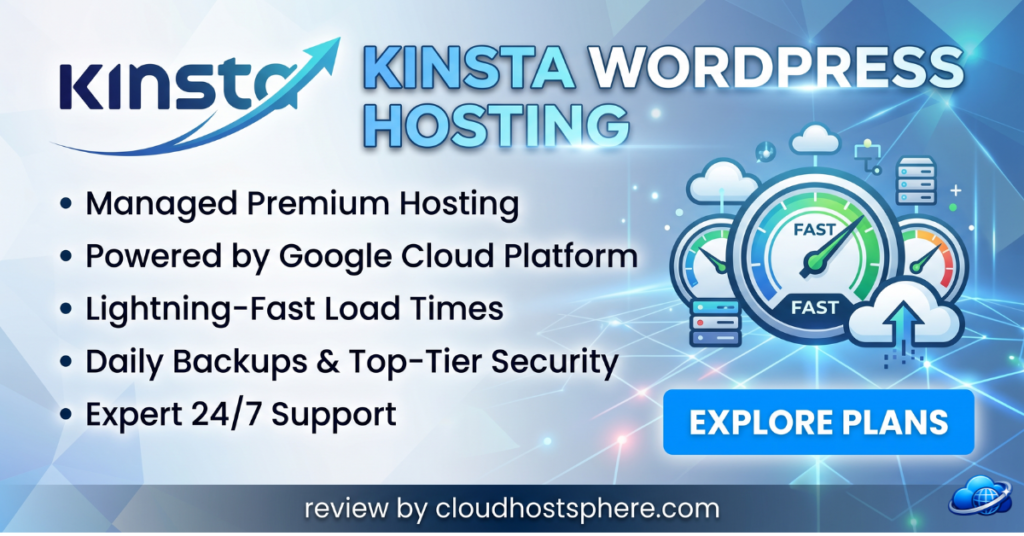
Kinsta offers managed WordPress hosting from $35/month — powered by Google Cloud C2D machines, with Cloudflare enterprise CDN included, free APM, 37 global data centres, and 24/7 WordPress expert support.
Start With Kinsta Today →If you sign up through our link, we may earn a commission at no extra cost to you. Read our full affiliate disclosure.
Last updated: May 28, 2026. Pricing and features verified against official Kinsta documentation.
📝 Editorial Note: This review is research-based, drawing on Kinsta’s official documentation, published SLA terms, verified user reviews on Trustpilot and G2, and independent benchmark data as of May 2026. CloudHostSphere maintains full editorial independence — our ratings are not influenced by affiliate relationships.