⚡ Quick Verdict
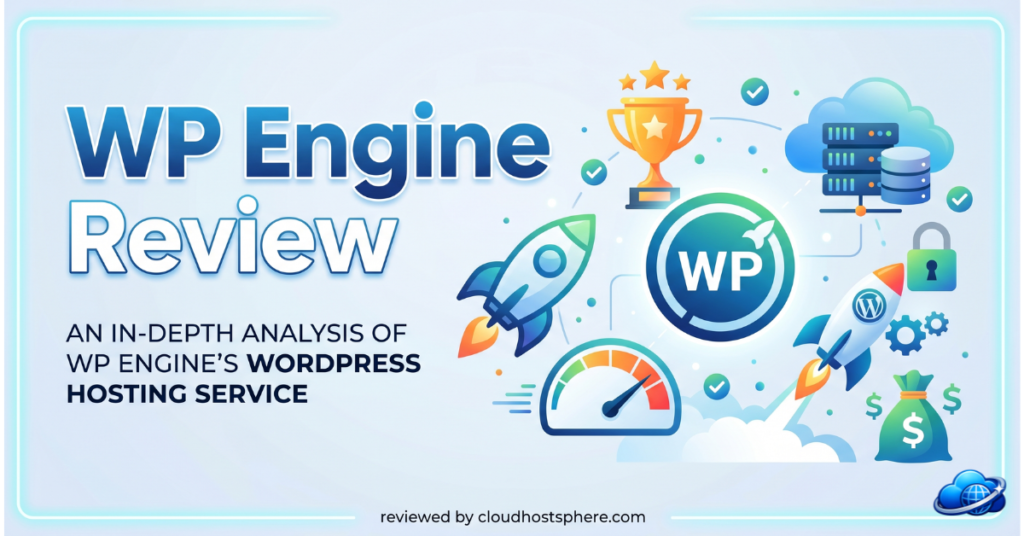
WP Engine remains one of the most recognised names in managed WordPress hosting in 2026 — and for good reason. Its platform is purpose-built for WordPress with enterprise-grade tooling: Smart Plugin Manager for automatic updates with visual regression testing, Local (by Flywheel) for local development, Genesis Pro themes, and a mature agency ecosystem built around years of WordPress-first infrastructure. It is not the cheapest option, and it is not the fastest on pure benchmark tests. But for agencies, enterprise teams, and WordPress developers who value ecosystem depth, developer tooling, and a proven track record, WP Engine consistently delivers.
✅ Best for: WordPress agencies, enterprise teams, developers needing Local/DevKit, multi-site management, and a mature plugin update workflow.
❌ Not ideal for: New bloggers, budget-conscious teams, or anyone who doesn’t need the full agency ecosystem.
Overall Rating: 4.6 / 5
What Is WP Engine?
Founded in 2010 and headquartered in Austin, Texas, WP Engine pioneered the managed WordPress hosting category and has spent over a decade building an infrastructure and tooling ecosystem specifically around WordPress. In 2018, WP Engine acquired StudioPress and the Genesis Framework — giving it a premium theme and page builder ecosystem in addition to its hosting platform. In 2019, it acquired Flywheel, bringing Local (the free local WordPress development tool used by over 2 million developers) and Flywheel’s agency-focused managed hosting into the WP Engine family. Today, WP Engine is one of the largest managed WordPress platforms in the world and a standard choice for agencies managing enterprise WordPress portfolios.
WP Engine Plans & Pricing
⚠️ Pricing below is based on publicly available WP Engine data as of May 2026. Always verify current rates at wpengine.com before purchasing.
| Plan | Sites | Monthly Visits | Local Storage | Price |
|---|---|---|---|---|
| Startup | 1 | 25,000 | 10 GB | ~$20/mo |
| Professional | 3 | 75,000 | 15 GB | ~$40/mo |
| Growth | 10 | 100,000 | 20 GB | ~$77/mo |
| Scale | 30 | 400,000 | 50 GB | ~$193/mo |
| Custom / Enterprise | Unlimited | Custom | Custom | Custom |
Included on all plans:
- Free SSL certificates (auto-renewing)
- Global CDN powered by Cloudflare
- Automated daily backups with 30-day retention
- One-click staging environments
- Smart Plugin Manager — automated plugin updates with visual regression testing
- Access to Genesis Pro themes and StudioPress theme library
- SSH, SFTP, WP-CLI access
- 24/7 chat support (phone on Growth and above)
- Free site migration
- 99.95% uptime SLA
Performance & Infrastructure
WP Engine runs on a hybrid infrastructure combining Google Cloud Platform, Amazon Web Services, and its own data centre capacity. This multi-cloud approach provides broad geographic coverage and redundancy, though it also means infrastructure quality varies more than a single-provider platform like Kinsta.
EverCache Technology
WP Engine’s proprietary EverCache system is a multi-layer page caching solution built specifically for WordPress. It intelligently handles cache invalidation for dynamic WordPress content — particularly important for WooCommerce stores where cart, checkout, and account pages need to bypass caching while static pages are fully cached at the edge. EverCache is managed entirely by WP Engine; there is no plugin to configure or cache settings to tune.
Performance Stack
- Nginx web server with PHP-FPM and OPcache
- EverCache multi-layer proprietary caching
- Cloudflare global CDN included
- PHP 8.x support with per-site version control
- Redis object caching available as an add-on
- Latest MySQL/MariaDB with query optimisation
In independent benchmark testing published across multiple hosting review sites in 2025–2026, WP Engine typically ranks in the top tier for managed WordPress performance — slightly behind Kinsta on raw TTFB benchmarks but ahead of most mid-tier providers. The practical performance difference for most WordPress sites is minimal.
Explore WP Engine Performance Plans →
Developer Tools — Where WP Engine Truly Shines
Local (by Flywheel)
Local is a free local WordPress development environment used by over 2 million developers worldwide. WP Engine’s acquisition of Flywheel brought Local into the WP Engine ecosystem, and integration between Local and WP Engine hosting is seamless: push a local development site directly to a WP Engine staging or production environment with one click. For agencies and developers who build WordPress sites locally before deploying, this workflow is genuinely best-in-class.
Smart Plugin Manager
WP Engine’s Smart Plugin Manager automatically updates WordPress plugins on a schedule you define, runs visual regression tests before and after each update using screenshot comparison, and automatically rolls back updates that break the site’s appearance. For agencies managing 10, 30, or 100+ client WordPress sites, this feature alone saves hours of manual plugin maintenance weekly.
DevKit & Git Integration
- SSH Gateway for secure terminal access to any WP Engine environment
- Git push deployment — deploy code from any Git repository directly to staging or production
- WP-CLI access for database operations, plugin management, and automated scripting
- Environment-level PHP version selection without support tickets
Customer Support
WP Engine provides 24/7 WordPress-expert live chat on all plans, with phone support added on Growth and above. The support team focuses exclusively on WordPress and is capable of diagnosing plugin conflicts, performance bottlenecks, and WooCommerce issues at a technical level. Response times are generally fast, though Kinsta and LiquidWeb outperform WP Engine on average chat response speed in community reviews and independent testing.
Security
- Cloudflare CDN with DDoS protection and WAF included on all plans
- Automated malware scanning and removal
- Two-factor authentication for all WP Engine portal accounts
- Proactive threat detection with IP blocking rules
- Daily automated backups with one-click restore
- SOC 2 Type II certified — same as LiquidWeb, more than most competitors
- WordPress-specific hardening applied to every environment by default
WP Engine Pros & Cons
✅ Pros
- Smart Plugin Manager with visual regression testing — best automated plugin update system in managed WordPress hosting
- Local (by Flywheel) for local development — seamless push to WP Engine environments
- Genesis Pro themes and StudioPress library included — significant value for design-focused agencies
- SOC 2 Type II certified — enterprise security standard
- 60-day money-back guarantee — longest in premium managed hosting
- Git push deployment and SSH Gateway for developer workflows
- Multi-cloud infrastructure for broad geographic availability
- Proven track record — 15+ years in managed WordPress, used by major enterprises
❌ Cons
- Startup plan limited to 1 site and 25,000 monthly visits — tight for growing sites
- Performance slightly behind Kinsta on TTFB benchmarks in independent tests
- No phone support on the Startup or Professional plan
- Pricing higher than Cloudways for equivalent infrastructure
- No email hosting included
- Visit overage charges apply when monthly caps are exceeded
Final Verdict
WP Engine in 2026 is the best choice for WordPress agencies and enterprises that prioritise ecosystem depth over raw performance benchmarks. Smart Plugin Manager, Local by Flywheel, Genesis Pro themes, SOC 2 compliance, and a 15-year track record combine into a platform that earns its premium pricing for professional WordPress teams. For developers and agencies building WordPress sites at scale, the integrated local-to-production workflow alone justifies the cost. For individual site owners or budget-focused teams, Cloudways or Hostinger offer better value at lower price points.
| Category | Score |
|---|---|
| Performance & Speed | ⭐⭐⭐⭐½ 4.6/5 |
| Ease of Use | ⭐⭐⭐⭐½ 4.5/5 |
| Value for Money | ⭐⭐⭐⭐ 4.0/5 |
| Customer Support | ⭐⭐⭐⭐½ 4.5/5 |
| Security | ⭐⭐⭐⭐⭐ 4.8/5 |
| Developer Tools | ⭐⭐⭐⭐⭐ 4.9/5 |
🚀 Ready to Try WP Engine?
WP Engine offers managed WordPress hosting from $20/month — with Smart Plugin Manager, Local by Flywheel, Genesis Pro themes, SOC 2 compliance, and a 60-day money-back guarantee.
Start With WP Engine Today →If you sign up through our link, we may earn a commission at no extra cost to you. Read our full affiliate disclosure.
Last updated: May 29, 2026. Pricing and features verified against official WP Engine documentation.