⚡ Quick Verdict
Bluehost is the better all-rounder for beginners — it bundles a free domain, easy WordPress setup, and 24/7 phone support at a low introductory price. It’s the most popular shared host for new WordPress sites for a reason.
GreenGeeks is the better choice if eco-credentials matter to you or your audience — it matches Bluehost feature-for-feature, matches (or beats) it on performance, and offsets 300% of its energy use with renewable energy credits. For the same price, you get a greener host with faster LiteSpeed servers.
✅ Choose Bluehost if: You want a beginner-friendly host with name recognition and a free domain year included.
✅ Choose GreenGeeks if: You want faster LiteSpeed servers, eco-friendly hosting, or slightly better renewal pricing.
Bluehost vs GreenGeeks: Overview
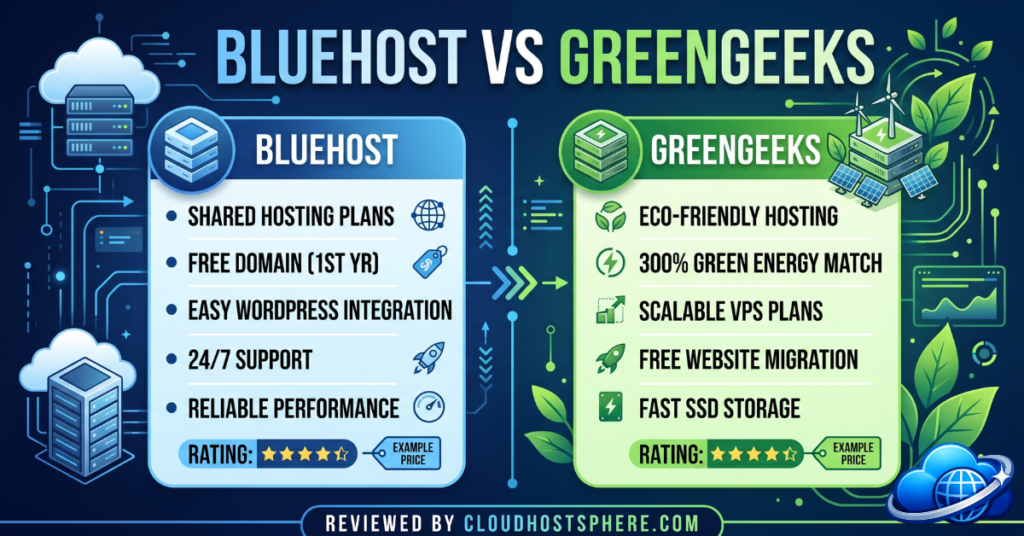
Both Bluehost and GreenGeeks target the same audience — WordPress beginners and small business owners who want reliable shared hosting without dealing with server management. They’re priced similarly, include similar features, and both officially support WordPress. But the similarities end there.
Bluehost is the safe, well-known choice. It’s been around since 2003, is officially recommended by WordPress.org, and powers millions of sites worldwide. GreenGeeks is the fast-growing challenger — it’s been around since 2008, runs on LiteSpeed servers (faster than Bluehost’s Apache stack), and makes a genuine environmental commitment that resonates with a growing segment of site owners.
Performance: LiteSpeed vs Apache
This is where GreenGeeks quietly wins. Bluehost uses an Apache web server stack — the industry default, reliable and compatible, but not the fastest option available. GreenGeeks uses LiteSpeed Enterprise with the LSCache plugin, which handles PHP requests and page caching at the server level — significantly faster than Apache + a separate cache plugin.
In independent benchmarks, GreenGeeks consistently delivers lower TTFB (Time to First Byte) than Bluehost on comparable shared plans. Both include SSD storage, but GreenGeeks uses NVMe on some plans. Both include a CDN (Bluehost via Cloudflare, GreenGeeks via a built-in CDN), free SSL, and PHP 8.x support.
⚡ Performance verdict: GreenGeeks wins on raw speed due to LiteSpeed. Bluehost is still fast enough for most beginner sites — but if speed is a priority, GreenGeeks has the edge without costing more.
Pricing Comparison
⚠️ Pricing shown below is based on publicly available data as of June 2026. Both Bluehost and GreenGeeks use introductory pricing that increases significantly on renewal. Always verify current rates before purchasing.
Bluehost Shared Hosting Plans
| Plan | Sites | Storage | Intro Price | Renewal Price |
|---|---|---|---|---|
| Basic | 1 | 10 GB SSD | ~$2.95/mo | ~$10.99/mo |
| Plus | Unlimited | Unlimited SSD | ~$5.45/mo | ~$14.99/mo |
| Choice Plus | Unlimited | Unlimited SSD + CodeGuard | ~$5.45/mo | ~$19.99/mo |
GreenGeeks Shared Hosting Plans
| Plan | Sites | Storage | Intro Price | Renewal Price |
|---|---|---|---|---|
| Lite | 1 | 50 GB SSD | ~$2.95/mo | ~$10.95/mo |
| Pro | Unlimited | Unlimited SSD | ~$5.95/mo | ~$15.95/mo |
| Premium | Unlimited | Unlimited SSD + PremiumSSL | ~$11.95/mo | ~$25.95/mo |
At introductory prices, both are nearly identical. Renewal pricing is where it gets more expensive — this is true for virtually all shared hosting providers. GreenGeeks’ Lite plan includes 50 GB SSD vs Bluehost Basic’s 10 GB, which is a meaningful difference for content-heavy sites with lots of images.
💡 Important: Both hosts use promotional pricing for initial terms. The renewal price is 3–4× higher. Before signing up, calculate your 3-year total cost, not just the first-term price. Signing up for a 2- or 3-year term locks in the lowest introductory rate for longer.
Features Comparison
| Feature | Bluehost | GreenGeeks |
|---|---|---|
| Free domain (1st year) | ✅ | ✅ |
| Free SSL | ✅ | ✅ |
| Free CDN | ✅ Cloudflare | ✅ Built-in |
| Web server | Apache | LiteSpeed Enterprise |
| WordPress auto-install | ✅ 1-click | ✅ 1-click |
| cPanel | Custom (cPanel-based) | ✅ cPanel |
| Email accounts | 5 (Basic), Unlimited (Plus+) | Unlimited |
| Staging | ✅ (Choice Plus) | ✅ Pro/Premium |
| Daily backups | ✅ (Choice Plus has CodeGuard) | ✅ Daily nightly |
| Eco-friendly | ❌ | ✅ 300% renewable energy |
| Money-back guarantee | 30 days | 30 days |
| WordPress.org recommended | ✅ | ❌ |
The Green Factor: Does It Matter?
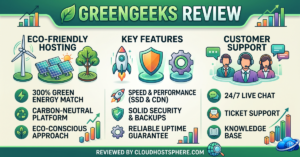
GreenGeeks purchases 300% renewable energy credits (RECs) to offset their power consumption — meaning for every 1 unit of energy they consume, they put 3 units of renewable energy back into the grid. They also partner with the Bonneville Environmental Foundation and have planted over 900,000 trees through their partnership with One Tree Planted.
For most site owners, this is a nice-to-have. But for businesses in sustainability-adjacent industries (eco products, environmental non-profits, conscious consumer brands), GreenGeeks’ green credentials add an authentic, on-brand dimension to your hosting story. It’s a real differentiator if your audience cares about it.
Bluehost has no comparable environmental commitments. It’s owned by Newfold Digital (formerly EIG/Endurance International Group), a large hosting conglomerate. GreenGeeks is independently focused on eco-hosting as a core part of its identity. See our full GreenGeeks review for a deeper look.
Customer Support
Both hosts offer 24/7 support via live chat, phone, and a ticket system. Bluehost has a larger support team and more documentation given its scale, but response quality can vary. GreenGeeks is consistently praised for knowledgeable, fast live chat responses — their average response times are competitive and the quality of answers tends to be better than average for shared hosting.
Neither host is at the LiquidWeb/Kinsta level for support depth, but for shared hosting both are respectable. GreenGeeks edges ahead in consistency based on user reviews across Trustpilot and G2.
Ease of Use
Both hosts are beginner-friendly. Bluehost has invested heavily in its onboarding experience — new users see a step-by-step WordPress setup wizard that walks them through theme selection, plugin installation, and initial content. It’s one of the smoothest onboarding experiences in shared hosting.
GreenGeeks uses standard cPanel, which is familiar to anyone who’s used shared hosting before. It’s not quite as polished as Bluehost’s custom dashboard for brand-new users, but for anyone with even a little WordPress experience it’s fine.
Who Should Choose Bluehost?
Bluehost is best for:
- Complete beginners starting their first WordPress site
- Users who want a guided onboarding experience
- People who value the “WordPress.org recommended” label as a trust signal
- Sites that need phone support from day one
Read our full Bluehost review for a detailed breakdown of plans, performance tests, and who it works best for.
Who Should Choose GreenGeeks?
GreenGeeks is best for:
- Site owners who prioritise page speed and want LiteSpeed servers
- Eco-conscious businesses and bloggers
- Users who want more storage at the entry level (50 GB vs 10 GB)
- Anyone who’s used cPanel before and doesn’t need hand-holding
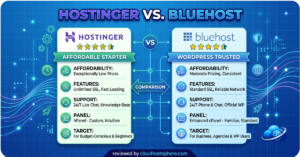
For a full breakdown of GreenGeeks’ plans and performance data, see our GreenGeeks review. Also worth reading: our Hostinger vs Bluehost comparison if you’re considering budget alternatives.
Bluehost vs GreenGeeks: Final Verdict
| Category | Winner | Why |
|---|---|---|
| Performance | 🏆 GreenGeeks | LiteSpeed stack is consistently faster than Apache |
| Pricing (intro) | 🤝 Tie | Both start at ~$2.95/mo |
| Ease of Use | 🏆 Bluehost | Best-in-class onboarding wizard for beginners |
| Storage | 🏆 GreenGeeks | 50 GB on Lite vs 10 GB on Bluehost Basic |
| Eco-Friendly | 🏆 GreenGeeks | 300% renewable energy offset |
| WordPress Recommendation | 🏆 Bluehost | Official WordPress.org recommended host |
| Support Consistency | 🏆 GreenGeeks | Higher rated support across review platforms |
Overall: If you’re a complete beginner who wants maximum hand-holding, go with Bluehost. If you want slightly better performance, more storage, and a green hosting story — pick GreenGeeks. The price difference is negligible. Both are solid starting points, and both are easy to migrate away from later when your traffic justifies upgrading to a managed cloud host like Cloudways.
Ready to Pick Your Host?
Get Started with Bluehost → Get Started with GreenGeeks →
Affiliate disclosure: Links on this page are affiliate links. If you sign up, we may earn a commission at no extra cost to you. Learn more.