⚡ Quick Verdict
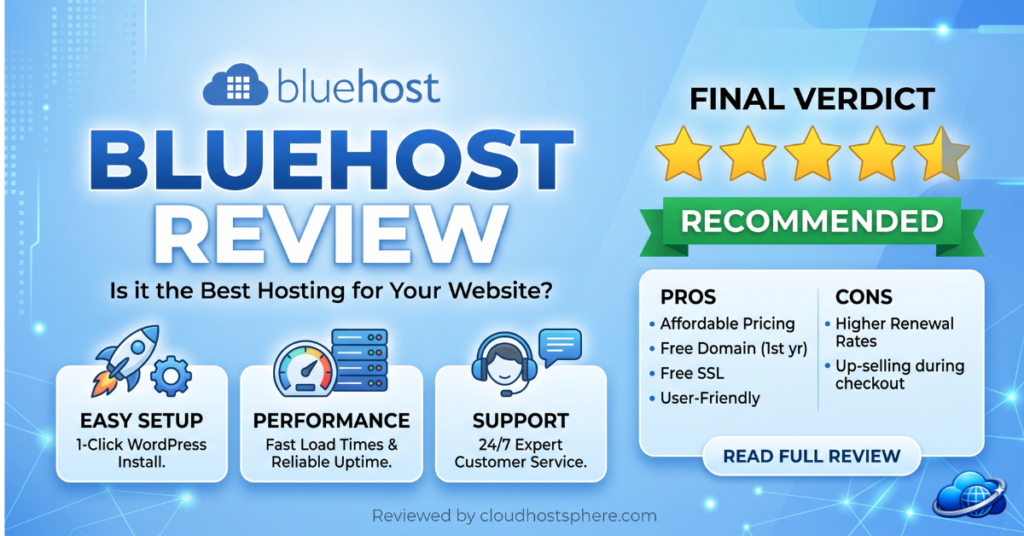
Bluehost is the most recommended WordPress host on the internet — officially endorsed by WordPress.org since 2005 and powering over 2 million websites in 2026. For absolute beginners, it remains one of the easiest ways to get a WordPress site online: one-click installs, a beginner-friendly dashboard, a free domain for the first year, and 24/7 support. But Bluehost is no longer the performance leader it once was, and its renewal pricing climbs steeply after the introductory term. It’s a solid, safe choice for first-time WordPress users who value simplicity and brand trust over raw speed — but power users and performance-focused site owners will find better value elsewhere.
✅ Best for: WordPress beginners, first-time site owners, and small businesses who want a trusted, simple, all-in-one hosting setup.
❌ Not ideal for: High-traffic sites, developers needing advanced control, or anyone prioritising peak performance and predictable long-term pricing.
Overall Rating: 4.1 / 5
What Is Bluehost?
Founded in 2003 and headquartered in Provo, Utah, Bluehost is one of the most recognised names in web hosting. It has been an officially recommended WordPress.org host since 2005 — one of only three providers to hold that endorsement — and is owned by Newfold Digital (the hosting conglomerate that also owns HostGator and several other brands). Bluehost built its reputation on making WordPress accessible to complete beginners: its entire platform is designed around the assumption that you’ve never built a website before. In 2026, it remains the default recommendation for first-time WordPress users, with over 2 million websites hosted globally.
Bluehost Plans & Pricing
⚠️ Bluehost uses promotional pricing for the first term, with significantly higher renewal rates. Prices below reflect promotional rates as of June 2026 — always verify renewal pricing at bluehost.com before purchasing.
Shared WordPress Hosting
| Plan | Websites | Storage | Free Domain | Promo Price |
|---|---|---|---|---|
| Basic | 1 | 10 GB SSD | ✅ 1 year | ~$1.99/mo |
| Choice Plus | Unlimited | 40 GB SSD | ✅ 1 year | ~$3.99/mo |
| Online Store | Unlimited | 100 GB SSD | ✅ 1 year | ~$6.99/mo |
| Pro | Unlimited | 100 GB SSD | ✅ 1 year | ~$9.99/mo |
Included on all plans:
- Free domain name for the first year
- Free SSL certificate (Let’s Encrypt)
- Free CDN (Cloudflare integration)
- One-click WordPress installation
- Custom WordPress dashboard with guided setup
- 24/7 support via live chat and phone
- Automated daily backups (Choice Plus and above, first year free)
- 30-day money-back guarantee
See Bluehost WordPress Plans →
Performance & Speed
Bluehost’s performance is best described as “adequate.” It runs on a mix of NVMe SSD storage with Cloudflare CDN integration, and for low-to-moderate traffic WordPress sites, it delivers acceptable load times. However, Bluehost does not use LiteSpeed web servers — relying instead on a standard Apache/Nginx configuration — which means it falls behind LiteSpeed-powered competitors like ChemiCloud, HostArmada, and Hosting.com on raw speed benchmarks.
- NVMe SSD storage — faster than standard SSD on newer plans
- Cloudflare CDN — included for global content delivery
- PHP 8.x with OPcache — modern PHP support
- Data centres — primarily US-based, limiting performance for international audiences
- No LiteSpeed — uses standard web server configuration
In independent benchmark testing, Bluehost typically delivers TTFB in the 400–700ms range for US-based traffic — acceptable for beginners but noticeably slower than LiteSpeed budget hosts. For sites targeting international audiences, the US-centric data centre footprint is a meaningful limitation.
Ease of Use — Bluehost’s Strongest Asset
This is where Bluehost genuinely excels. Its custom WordPress dashboard is one of the most beginner-friendly in the industry. When you sign up, Bluehost walks you through a guided setup: it asks what kind of site you’re building, installs WordPress automatically, suggests themes, and provides a step-by-step checklist to launch. For someone who has never built a website, this hand-holding is invaluable. The integration between Bluehost’s account panel and the WordPress admin is seamless, and common tasks like installing SSL, setting up email, and managing domains are clearly laid out.
Ease of use rating: 4.7 / 5 — Among the best for WordPress beginners. The guided onboarding is genuinely helpful for first-timers.
Customer Support
Bluehost provides 24/7 support via live chat and phone — phone support being a genuine advantage over chat-only budget hosts like ChemiCloud and HostArmada. Support quality is generally solid for common WordPress and account issues, though wait times can be longer during peak hours, and complex technical issues sometimes require escalation. The extensive knowledge base and WordPress-specific tutorials are helpful for self-service troubleshooting.
Bluehost Pros & Cons
✅ Pros
- Officially recommended by WordPress.org since 2005
- Best-in-class beginner onboarding and guided WordPress setup
- Free domain for the first year
- 24/7 phone and chat support
- Free SSL and Cloudflare CDN included
- Trusted brand with 2M+ websites — proven reliability
- Low introductory pricing from $1.99/month
❌ Cons
- No LiteSpeed — slower than budget LiteSpeed competitors
- Steep renewal pricing after the promotional term
- US-centric data centres limit international performance
- Frequent upsells during checkout and in the dashboard
- Backups not free beyond the first year on lower plans
- Performance lags behind ChemiCloud, HostArmada, and Hosting.com at similar prices
Bluehost vs The Competition
Bluehost’s main competition comes from other beginner-focused budget hosts. Against Hostinger, Bluehost loses on price and performance (Hostinger uses LiteSpeed) but matches it on beginner-friendliness. Against DreamHost — the other WordPress.org recommended host — Bluehost offers easier onboarding but DreamHost provides better value and a 97-day money-back guarantee versus Bluehost’s 30 days. Against LiteSpeed budget hosts like ChemiCloud and HostArmada, Bluehost trails on raw performance but wins on brand familiarity and phone support.
Final Verdict
Bluehost in 2026 is the safe, beginner-friendly choice — not the performance or value leader. If you’re building your first WordPress site and you value a trusted brand, hand-holding setup, phone support, and a free domain over raw speed, Bluehost delivers a genuinely smooth experience. But if performance matters, or you’re comfortable with a slightly less hand-holding setup, LiteSpeed-powered hosts like ChemiCloud, HostArmada, or Hostinger offer better speed and value at similar or lower prices. Bluehost earns its place as a solid beginner option, but it’s no longer the automatic best choice it once was.
| Category | Score |
|---|---|
| Performance & Speed | ⭐⭐⭐½ 3.7/5 |
| Ease of Use | ⭐⭐⭐⭐⭐ 4.7/5 |
| Value for Money | ⭐⭐⭐½ 3.8/5 |
| Customer Support | ⭐⭐⭐⭐ 4.2/5 |
| Security | ⭐⭐⭐⭐ 4.0/5 |
| Features | ⭐⭐⭐⭐ 4.1/5 |
🚀 Ready to Try Bluehost?
Bluehost offers beginner-friendly WordPress hosting from $1.99/month — with a free domain for the first year, free SSL, Cloudflare CDN, 24/7 phone support, and the official WordPress.org recommendation.
Start With Bluehost Today →If you sign up through our link, we may earn a commission at no extra cost to you. Read our full affiliate disclosure.
Last updated: June 1, 2026. Pricing and features verified against official Bluehost documentation.