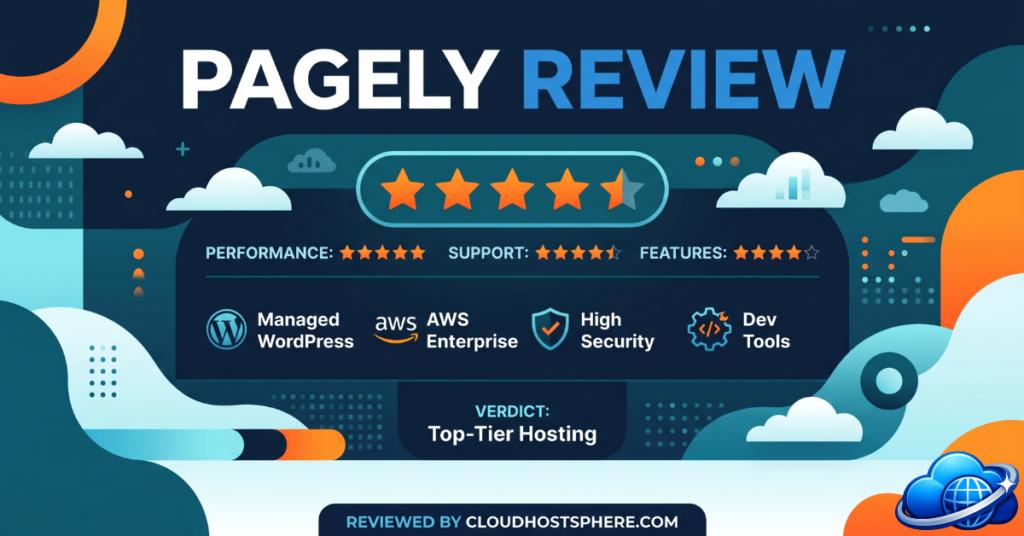
⚡ Quick Verdict
Pagely is the original managed WordPress host — founded in 2009, built entirely on AWS, and purpose-built for enterprises, large agencies, and high-traffic publishers who cannot afford downtime. With dedicated AWS hardware, a full DevOps team managing everything from kernel patches to WordPress plugin updates, and clients like Cisco, VMware, and Warner Bros., Pagely sits in a different category from most managed WordPress hosts. It is not cheap — plans start at $99/month — but for organisations where WordPress performance and security are mission-critical, it is one of the most complete managed environments available.
✅ Best for: Enterprises, large agencies, media companies, universities, and WooCommerce stores that need fully managed AWS infrastructure and white-glove support
❌ Not ideal for: Bloggers, freelancers, or small businesses — the pricing and complexity are overkill for low-traffic sites
Overall Rating: 4.7 / 5
Most managed WordPress hosts promise “enterprise-grade” hosting. Pagely actually built for it from day one. Founded in 2009 — making it the world’s first managed WordPress hosting company — Pagely has spent 15+ years doing one thing: running high-stakes WordPress infrastructure on Amazon Web Services for organisations where a slow or hacked site has real business consequences.
In 2021, Pagely was acquired by GoDaddy Pro, giving it access to greater resources while maintaining its own brand, team, and enterprise-focused identity. This review covers exactly what you get with Pagely, who it’s built for, what the full service scope looks like, and whether the premium pricing is justified.
What Is Pagely?
Pagely is a managed WordPress hosting provider that runs exclusively on Amazon Web Services (AWS) infrastructure. Rather than owning or leasing physical servers, Pagely provisions and manages dedicated AWS EC2 compute, RDS databases, S3 storage, and VPC networking on your behalf — and handles every layer of that stack so you don’t have to.
The core proposition is straightforward: you focus on your WordPress site and business, while Pagely’s DevOps team manages the servers, software stack, security, updates, monitoring, and performance. Unlike budget managed hosts where “managed” means automated WordPress updates and a cPanel, Pagely’s managed scope covers the entire infrastructure lifecycle — from OS kernel patching to incident response to database performance tuning.
Their client list reflects the target market: Cisco, VMware, Warner Bros., NYU, and Experian are all Pagely customers — organisations that need compliance, scalability, and guaranteed availability, not just a fast WordPress site.
Pagely Infrastructure: Built on AWS
Every Pagely environment runs on dedicated AWS hardware — not shared cloud resources. This is an important distinction from hosts that use AWS underneath but still pool resources across customers. With Pagely, your EC2 instances, RDS databases, and networking are dedicated to your account.
The AWS infrastructure stack that Pagely fully manages on your behalf includes:
- Provisioning and lifecycle management — spinning up, scaling, and retiring AWS resources as your needs change
- Cost management — optimising the AWS spend that powers your environment
- Monitoring and availability — 24/7 infrastructure health monitoring with alert response
- Security hardening — network-level security, VPC configuration, firewall rules
- Uptime and SLA management — infrastructure-level uptime guarantees backed by AWS’s own availability commitments
The hosting stack running on that infrastructure — NGINX, Apache, PHP-FPM and the full web server layer — is also completely managed by Pagely. This includes configuration tuning (PHP memory limits, timeouts, and other settings can be adjusted on request) and active rate limiting and traffic abuse mitigation at the server level.
Pagely Performance: PressCDN, PressCache, and the Full Stack
Pagely’s performance architecture is built around two proprietary systems: PressCDN (their content delivery network, powered by AWS CloudFront) and PressCache (their advanced full-page caching layer). Both are included in every plan from ProPress upward, with generous allocations that scale with plan tier.
The web server stack uses NGINX as the primary reverse proxy and caching layer, with Apache handling application-level requests. This NGINX + Apache combination gives you the speed of NGINX’s static file serving and reverse proxy performance alongside Apache’s .htaccess compatibility — important for WordPress sites that rely on rewrite rules. Pagely can also assist with converting rules between NGINX+Apache and NGINX-only modes if needed.
Object Cache Pro — a premium Redis-based object caching solution worth $95/year on its own — is included as part of Pagely’s support scope at no extra charge. Object caching dramatically reduces database load on high-traffic sites by storing the results of expensive database queries in memory.
Key Performance Technologies
- NGINX-powered reverse proxy and caching
- PressCDN — AWS CloudFront-backed CDN, 150 GB to 2+ TB depending on plan
- PressCache — full-page caching (ProPress and above)
- Object Cache Pro — Redis object caching, included
- Geo-routing and multi-region redundancy — traffic routed to the nearest AWS region
- Elasticsearch support — included on PowerPress and above
- PressThumb — on-the-fly image resizing/optimisation service
See Pagely Plans with PressCDN Allocations →
Pagely Security: Enterprise-Grade Protection
Security is one of Pagely’s standout differentiators. While most managed hosts offer basic firewall rules and malware scanning, Pagely’s security coverage is closer to what you’d expect from a dedicated security team:
What Pagely’s Security Scope Covers
- Web Application Firewall (WAF) — active filtering of malicious traffic before it reaches your WordPress application
- Malware scanning — continuous scanning of your server environment for compromised files
- Hacked site analysis and full remediation — if your site is compromised, Pagely investigates and cleans it up
- Threat hunting — proactive identification of indicators of compromise, not just reactive scanning
- Server and stack hardening — hardened OS, restricted service configurations, minimal attack surface
- Early detection and patching of WordPress security vulnerabilities — Pagely tracks vulnerability disclosures and patches affected plugins and WordPress core before exploits are widespread
- Rate limiting and abusive traffic mitigation — protection against brute force, credential stuffing, and scraping attacks at the server level
Note on compliance: Pagely supports organisations with regulatory requirements (HIPAA, PCI, SOC 2, etc.) through their enterprise infrastructure architecture. If your organisation has specific compliance needs, Pagely recommends a direct consultation to scope the appropriate environment configuration.
Pagely Managed Services: What They Actually Do For You
This is where Pagely’s value proposition really stands out. Here is a breakdown of exactly what their team handles — drawn from their official service scope documentation:
Software Updates (Handled by Pagely)
- Operating system version upgrades (e.g. Ubuntu 16.04 → 20.04)
- OS package updates and kernel patching
- Incremental PHP patches and full PHP version upgrades (e.g. PHP 7.4 → 8.0)
- WordPress core updates
- WordPress plugin updates
Disaster Recovery
- Daily automated backups
- Hourly snapshots
- Server rebuilds and full infrastructure failovers
- Backup restoration assistance on request
WordPress Application Support
- General troubleshooting of WordPress application issues
- Application performance review and guidance
- Database performance review and query optimisation guidance
- Plugin recommendations
- Object Cache Pro software and support included
- White-glove migrations and guided launch process
- 24/7 website uptime monitoring with alert response
Platform Features Included
- Atomic Dashboard — Pagely’s custom management dashboard for managing sites, domains, SSH keys, staging environments, and more
- SSL certificate management
- Disk management
- SSH/SFTP access
- phpMyAdmin
- Pagely API — REST API for programmatic management of your hosting environment
- PressThumb — image optimisation service
- CI/CD integrations — supported for teams with automated deployment pipelines
- APM integrations — New Relic and Datadog integrations (bring your own license)
What Pagely Does NOT Cover
To set accurate expectations, Pagely is transparent about what falls outside their service scope:
- Theme design or development
- Custom plugin development or application code changes
- WordPress multisite conversions
- Website redesigning or refactoring
- End-user/visitor support (they support account holders and authorised collaborators, not your customers)
- In-depth plugin-level support (plugin vendors handle their own support)
Pagely Pricing Plans
Pagely’s plans are structured across two tiers: starter plans for smaller operations growing into managed hosting, and professional plans for enterprises with significant traffic and multi-site requirements. All plans include ticket and live chat support, automated backups, staging environments, and security features.
Starter Plans
| Plan | Price | Sites | Storage | Bandwidth | PressCDN |
|---|---|---|---|---|---|
| StartPress | $99/mo | 5 | 30 GB SSD | 50 GB | 150 GB |
| DevPress | $199/mo | 10 | 50 GB SSD | 100 GB | 350 GB |
| LitePress | $299/mo | 15 | 50 GB SSD | 150 GB | 500 GB |
Professional Plans
| Plan | Price | Sites | CPU / RAM | Bandwidth | CDN / Cache |
|---|---|---|---|---|---|
| ProPress | $499/mo | Up to 35 | 2 vCPU / 4 GB RAM | 200 GB | 1 TB PressCDN + 1 TB PressCache |
| PowerPress | $999/mo | Up to 60 | 4 vCPU / 8 GB RAM | 300 GB | 2 TB PressCDN + 2 TB PressCache |
| ScalePress | From $2,500/mo | Custom | Custom | Custom | Custom + Managed DevOps |
High availability (HA) configurations — which add redundant infrastructure across multiple AWS availability zones — are available as upgrades: ProPress HA at $1,249/mo, PowerPress HA at $2,249/mo, and ScalePress HA at $3,600/mo.
No affiliate pricing note: Pagely prices are fixed and published directly on their site. There are no publicly available coupon codes — enterprise pricing for ScalePress and custom configurations is discussed directly with their sales team.
Pagely Support: DevOps-Level, 24/7
Pagely’s support is not a typical hosting helpdesk. Their team operates as an extension of your own DevOps capability — staffed by engineers who understand AWS infrastructure, WordPress internals, MySQL performance, and PHP behaviour at a level that most hosting support teams don’t.
Support is available via ticket and live chat on all plans, 24/7. On ScalePress and enterprise configurations, Pagely provides Managed DevOps support — meaning they proactively manage and optimise your environment rather than just responding to tickets.
Pagely’s NPS score of 80 (exceptional — the industry average for software is around 31) and CES score of 96 reflect genuine customer satisfaction with the support experience. Their Trustpilot rating of 4.7/5 is consistent with this.
Key support capabilities included with all plans:
- 24/7 uptime monitoring with alert response (Pagely acts on alerts, not just notifies you)
- White-glove migrations — their team handles the migration from your current host
- Guided launch process for new sites going live
- Application and database performance reviews
- Backup restoration assistance
- NGINX rewrite rule assistance
Pagely for Specific Use Cases
Enterprises and Large Organisations
Pagely is a natural fit for enterprises that have outgrown commodity managed hosting. The dedicated AWS infrastructure, compliance support, SLA guarantees, and DevOps-level management make it suitable for organisations with internal IT teams who want to offload WordPress infrastructure while maintaining visibility and control through the Atomic Dashboard and API.
Digital and Creative Agencies
The DevPress and LitePress plans are designed for agencies managing multiple client sites. The higher-tier plans (ProPress, PowerPress) support up to 35 and 60 sites respectively, with CDN and caching infrastructure that can handle multi-site traffic without per-site configuration overhead. The Pagely API and CI/CD integrations are valuable for agencies with automated deployment workflows.
Media and Publishing
High-traffic editorial sites, news organisations, and online publishers benefit from Pagely’s burst capacity, PressCDN, and PressCache configuration. Object Cache Pro (included) and Elasticsearch support (PowerPress and above) are particularly useful for large content archives with complex queries.
WooCommerce Stores
Pagely’s infrastructure handles the unpredictable traffic spikes and database intensity of WooCommerce well. Their DevOps team can tune PHP memory, database connections, and caching rules specifically for WooCommerce’s requirements — something that’s difficult to do on shared managed hosting.
Higher Education
Universities and colleges — including NYU among Pagely’s known clients — often run complex WordPress multisite networks with strict uptime, security, and compliance requirements. Pagely’s multi-region AWS architecture, WAF, and managed security stack are well-suited to these environments.
Pagely vs. Competitors
| Feature | Pagely | Kinsta | WP Engine | Cloudways |
|---|---|---|---|---|
| Infrastructure | Dedicated AWS | Google Cloud | AWS/Google Cloud | Multi-cloud (AWS, DO, GCP) |
| Managed scope | Full DevOps | Managed WP | Managed WP | Managed Server |
| Starting price | $99/mo | $35/mo | $25/mo | $14/mo |
| Object Cache Pro | ✅ Included | ✅ Included | ❌ Add-on | ❌ Manual |
| OS/Kernel management | ✅ Full | ✅ Full | ✅ Full | Partial |
| CI/CD integrations | ✅ | ✅ | ✅ | Limited |
| APM integrations | New Relic, Datadog | Limited | New Relic | ❌ |
| Enterprise compliance | ✅ (HIPAA, PCI) | Limited | ✅ | ❌ |
| Trustpilot rating | 4.7/5 | 4.6/5 | 3.9/5 | 4.3/5 |
Pagely’s dedicated AWS infrastructure and full DevOps scope set it apart from Kinsta and WP Engine at the enterprise tier. For organisations that need custom AWS configuration, compliance support, and a team that manages the full infrastructure layer — not just the WordPress application — Pagely is the more complete offering. For smaller budgets, Cloudways or Kinsta’s starter plans make more sense.
Pagely Pros and Cons
Pros
- Full DevOps management — OS, kernel, PHP, WordPress, and security all handled
- Dedicated AWS hardware — not shared cloud resources
- Object Cache Pro included at no extra cost
- PressCDN and PressCache built into plans
- Industry-leading support: NPS 80, CES 96, Trustpilot 4.7/5
- White-glove migrations with guided launch
- APM integrations (New Relic, Datadog) for engineering teams
- CI/CD support for automated deployment pipelines
- Compliance-capable infrastructure (HIPAA, PCI, SOC 2)
- High availability options available for mission-critical uptime
- Pagely API for programmatic environment management
Cons
- Expensive relative to competitors — starts at $99/month, professional plans from $499/month
- Not designed for single-site bloggers or small businesses
- No theme or plugin development support — application code is out of scope
- Plugin-level troubleshooting deferred to plugin vendors
- Annual pricing structure with no monthly flexibility on some plans
Frequently Asked Questions
Is Pagely owned by GoDaddy?
Yes. Pagely was acquired by GoDaddy Pro in 2021. The company continues to operate independently with its own brand, product team, and enterprise focus. The acquisition gave Pagely access to greater infrastructure resources without changing the managed hosting service that enterprise clients rely on.
Does Pagely offer a free trial?
Pagely does not offer a standard free trial. They do offer complimentary consultations for prospective enterprise clients to scope the right plan and configuration before committing. Given the enterprise pricing, this is the appropriate approach — a brief test environment wouldn’t reflect a fully tuned Pagely deployment anyway.
Can Pagely handle traffic spikes?
Yes. Pagely’s AWS-backed infrastructure is designed for variable traffic loads. The PressCDN and PressCache layers absorb the majority of traffic without hitting your application server, and the dedicated AWS EC2 instances provide consistent compute that doesn’t degrade under load — unlike shared hosting environments where a spike on one account affects others.
Does Pagely handle WordPress migrations?
Yes — white-glove migrations are included in Pagely’s service scope. Their team handles the full migration process and provides a guided launch to ensure your site goes live without issues. This is handled end-to-end by Pagely’s DevOps team, not a self-service migration tool.
What is the Atomic Dashboard?
The Atomic Dashboard is Pagely’s custom hosting control panel. It provides access to site management, domain configuration, SSH key management, staging environments, disk usage, phpMyAdmin, and integration with the Pagely API. It’s designed for developers and DevOps teams rather than traditional cPanel-style hosting management.
Pagely Review: Final Verdict
Pagely is not for everyone — and that’s exactly the point. It’s built for organisations where “good enough” hosting is not an option: enterprises with compliance requirements, agencies managing dozens of high-traffic client sites, media companies that can’t afford downtime, and WooCommerce stores where performance directly affects revenue.
What you’re paying for with Pagely is not just fast WordPress hosting — it’s a fully managed infrastructure partnership. Their DevOps team handles every layer of the stack, their security coverage goes well beyond what most managed hosts provide, and their client list (Cisco, VMware, Warner Bros.) speaks to the real-world environments this platform is built for.
If your requirements — and budget — match what Pagely offers, there are very few managed WordPress providers that come close to this level of comprehensive management. For everyone else, Cloudways or LiquidWeb offer strong managed hosting at a fraction of the price.
🚀 Ready for Enterprise-Grade WordPress Hosting?
Pagely’s DevOps team manages your entire AWS infrastructure — from kernel patches to WordPress updates — so you don’t have to. Trusted by Cisco, VMware, Warner Bros., and NYU. Book a consultation to find the right plan for your organisation.
View Pagely Plans →CloudHostSphere links to Pagely’s official site. We may update this page with an affiliate link when a partnership is established.