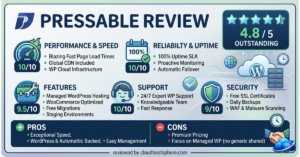
⚡ Quick Verdict
SiteGround is the best-value managed WordPress hosting option for small businesses, bloggers, and growing sites in 2026. After migrating its entire infrastructure to Google Cloud in 2020, SiteGround now offers Google Cloud performance at shared-hosting prices — a genuinely impressive feat. Its custom Site Tools control panel is cleaner than cPanel, its 24/7 support team is widely regarded as the most responsive in the budget-to-mid-tier segment, and its entry plan costs under $5/month. The trade-offs are real: resource limits on entry plans are tight, and the renewal pricing after the promotional period is significantly higher than the advertised rate. But for the right user, SiteGround delivers exceptional value.
✅ Best for: Bloggers, small businesses, agencies managing multiple smaller sites, and WordPress beginners who want Google Cloud performance without the complexity of managed cloud hosting.
❌ Not ideal for: High-traffic stores (50,000+ monthly visits), enterprise teams needing dedicated resources, or anyone who needs predictable long-term pricing.
Overall Rating: 4.5 / 5
What Is SiteGround?
Founded in 2004 in Sofia, Bulgaria, SiteGround grew from a small European hosting provider into a globally recognised WordPress hosting platform used by over 3 million websites. In 2020, SiteGround made a landmark infrastructure decision: it migrated its entire hosting infrastructure from its own data centres onto Google Cloud Platform. This migration gave SiteGround access to Google’s enterprise-grade SSD storage, global network, and reliability infrastructure — and it shows in the performance benchmarks. SiteGround also built a fully custom server management stack and control panel (Site Tools) from scratch, replacing cPanel with a system designed specifically for WordPress hosting workflows.
SiteGround Plans & Pricing
⚠️ SiteGround uses promotional pricing for the first billing period, with higher renewal rates. Prices below reflect standard promotional rates as of May 2026 — always verify renewal pricing at siteground.com.
| Plan | Websites | Monthly Visits | Storage | Promo Price |
|---|---|---|---|---|
| StartUp | 1 | ~10,000 | 10 GB SSD | ~$3.99/mo |
| GrowBig | Unlimited | ~100,000 | 20 GB SSD | ~$6.69/mo |
| GoGeek | Unlimited | ~400,000 | 40 GB SSD | ~$10.69/mo |
| Cloud Startup | Unlimited | ~400,000 | 40 GB SSD | ~$100/mo |
Included on all WordPress Hosting plans:
- Free SSL certificate (Let’s Encrypt, auto-renewing)
- Free CDN (Cloudflare integration)
- Free email hosting (included, unlike Kinsta or LiquidWeb)
- Daily automated backups with 30-day retention
- Free WordPress migration plugin
- WordPress auto-updates management
- Site Tools control panel (SiteGround’s custom cPanel alternative)
- WP-CLI and SSH access (GrowBig and above)
- 24/7 live chat, phone, and ticket support
- 99.9% uptime guarantee
Performance & Speed
SiteGround’s move to Google Cloud in 2020 transformed its performance profile. Sites hosted on SiteGround now run on the same Google Cloud SSD infrastructure used by Kinsta and Google’s own enterprise customers — though SiteGround’s configuration uses standard Google Cloud instances rather than Kinsta’s compute-optimised C2D machines.
SiteGround’s Custom Performance Stack
- SuperCacher — SiteGround’s proprietary three-layer caching system: static cache, dynamic cache, and Memcache for database queries
- Ultrafast PHP — SiteGround’s custom PHP setup using a modified FPM configuration for improved concurrency handling
- SG Optimizer Plugin — free WordPress plugin that connects site-level caching, image optimisation, and CDN settings directly from the WordPress dashboard
- Nginx + Apache hybrid — Nginx handles static file delivery; Apache processes PHP requests
- Google Cloud SSD storage — enterprise SSD performance on all plans, including shared hosting
In benchmark testing, SiteGround consistently outperforms traditional shared hosting and rivals many mid-tier managed WordPress providers on TTFB and load time for standard WordPress sites. It does not reach the performance ceiling of Kinsta or LiquidWeb, but for sites under 100,000 monthly visits, the difference is rarely perceptible to end users.
Start With SiteGround — Google Cloud Performance →
Site Tools Dashboard — Ease of Use
SiteGround replaced cPanel with its own custom control panel called Site Tools — a clean, modern interface that organises WordPress management into logical sections: Site, WordPress, Security, Speed, and Domains. For WordPress users specifically, Site Tools handles everything from one-click staging to plugin management, cache clearing, database backups, and PHP version selection. It is more intuitive than cPanel for WordPress workflows and significantly cleaner than the generic interfaces used by most budget hosts. WP beginners adapt to it quickly; developers appreciate that SSH access and WP-CLI are available without submitting support tickets.
Customer Support
SiteGround’s support is frequently cited as the best in the budget-to-mid-tier managed hosting segment. Unlike many budget hosts that rely on tiered support with long escalation chains, SiteGround routes support contacts to technical staff capable of resolving most WordPress issues on first contact. Available channels:
- 24/7 live chat — fastest response, typically under 5 minutes
- Phone support — available on all plans (a significant advantage over Kinsta, which has no phone support)
- Ticket/email — for non-urgent issues
- Knowledge base — extensive WordPress-specific documentation
Support rating: 4.7 / 5 — The best support in the budget-to-mid-tier segment. Phone availability on all plans is a genuine differentiator at this price point.
Security Features
- AI anti-bot system — SiteGround’s custom bot protection filters malicious traffic at server level
- Web Application Firewall (WAF) with rules updated in real-time against new threats
- Free SSL via Let’s Encrypt with auto-renewal
- Daily backups with 30-day retention and one-click restore
- Proactive server monitoring and auto-patch deployment
- Spam protection via SpamExperts (email security included)
- 2FA available for Site Tools and WordPress accounts
SiteGround Pros & Cons
✅ Pros
- Google Cloud infrastructure at genuine budget pricing — best performance-to-price ratio under $15/mo
- Free email hosting included — unlike Kinsta, WP Engine, LiquidWeb, or Cloudways
- Phone support on all plans — rare at this price point
- Site Tools control panel is clean, modern, and WordPress-optimised
- Free CDN, SSL, and daily backups on every plan
- SG Optimizer plugin provides frontend performance management from WordPress dashboard
- SuperCacher multi-layer caching with zero configuration required
- Staging environment on GrowBig and above
❌ Cons
- Promotional pricing ends after first billing period — renewal rates are significantly higher
- StartUp plan limited to approximately 10,000 monthly visits — outgrown quickly
- Resource limits on shared plans can cause throttling during traffic spikes
- Not ideal for high-concurrency WooCommerce stores needing dedicated resources
- No dedicated server options
Final Verdict
SiteGround in 2026 punches well above its price class. Google Cloud infrastructure, a thoughtfully designed custom control panel, phone support on all plans, free email hosting, and genuinely responsive technical support make it the strongest choice in the budget-to-mid-tier managed WordPress segment. It is the right pick for bloggers, small business sites, and agencies managing moderate-traffic client sites who want performance without the complexity of Cloudways or the price of Kinsta. For high-traffic stores or enterprise workloads, upgrade to Kinsta, LiquidWeb, or WP Engine.
| Category | Score |
|---|---|
| Performance & Speed | ⭐⭐⭐⭐½ 4.5/5 |
| Ease of Use | ⭐⭐⭐⭐⭐ 4.8/5 |
| Value for Money | ⭐⭐⭐⭐⭐ 4.9/5 |
| Customer Support | ⭐⭐⭐⭐½ 4.7/5 |
| Security | ⭐⭐⭐⭐ 4.4/5 |
| Features | ⭐⭐⭐⭐ 4.3/5 |
🚀 Ready to Try SiteGround?
SiteGround offers WordPress hosting from $3.99/month — on Google Cloud infrastructure, with free SSL, CDN, email hosting, daily backups, phone support on all plans, and a 30-day money-back guarantee.
Start With SiteGround Today →If you sign up through our link, we may earn a commission at no extra cost to you. Read our full affiliate disclosure.
Deciding between SiteGround and DreamHost? Read our full SiteGround vs DreamHost comparison to see how they stack up head-to-head on performance, pricing, and support.
Last updated: May 29, 2026. Pricing and features verified against official SiteGround documentation.