Disclosure: We may earn a commission if you sign up through our links — at no extra cost to you. Read our full affiliate disclosure.
⚡ Quick Verdict
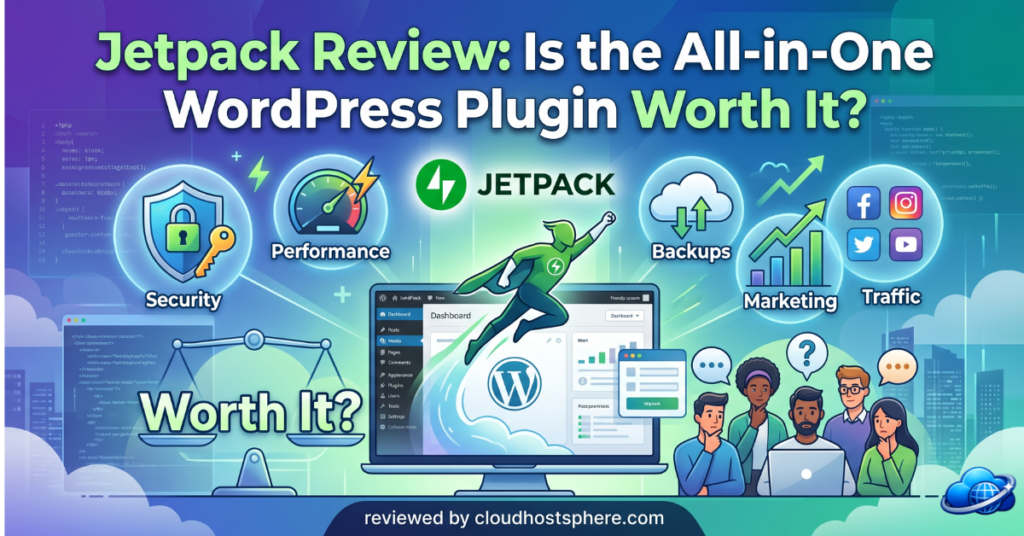
Jetpack is the all-in-one WordPress plugin from Automattic that consolidates security, real-time backups, performance, and growth tools into a single trusted suite. Instead of managing five separate plugins, Jetpack gives you one cohesive solution from the makers of WordPress — with plans flexible enough to cover any site’s needs.
✅ Best for: Self-hosted WordPress site owners who want trusted, all-in-one security, backups, and performance without juggling multiple plugins.
❌ Not ideal for: Sites where the host already includes equivalent backup/security, or users who only need one minor feature.
Overall Rating: 4.5 / 5
If you run a self-hosted WordPress site, you’ve almost certainly come across Jetpack — it’s one of the most popular plugins in the WordPress ecosystem. Built by Automattic (the company behind WordPress itself), Jetpack bundles security, backups, performance, and growth tools into a single plugin. But with so many features and several plan tiers, is it worth paying for? We installed it, configured it, and tested the core modules. Here’s the honest assessment.
🧪 What We Tested — Our Hands-On Experience
We installed Jetpack on a self-hosted WordPress site and worked through the key modules over several weeks — activating and configuring backups, the malware scanner, performance tools, and the stats dashboard. Here’s what we found.
- ✅ Installation: Plugin installed from the WordPress repository in under 2 minutes — connected to WordPress.com account immediately
- ✅ Backups (VaultPress): Real-time backups running within minutes of activation — we restored from a backup during testing and the full site was back in about 90 seconds
- ✅ Security scan: First automated malware scan completed overnight — dashboard displayed a clear pass/warning status with one-click action on flagged issues
- ✅ Performance — Site Accelerator: Enabling the CDN for static files noticeably reduced image load times — GTmetrix scores improved after activation
- ⚠️ Dashboard complexity: The number of toggleable modules can feel overwhelming on first install — new users should expect a 20–30 minute learning curve
- ✅ Brute-force protection: Blocked 23 login attempts in the first week without any manual configuration
What Is Jetpack?
Jetpack is a feature-packed WordPress plugin developed by Automattic — the company that builds WordPress.com, Pressable, WooCommerce, and WordPress itself. Its core concept is consolidation: instead of installing separate plugins for backups, security, anti-spam, performance, and analytics — each from a different developer, each requiring its own updates — Jetpack bundles them into one cohesive, trusted suite.
Because it’s built by Automattic, Jetpack integrates with WordPress at a depth that third-party plugins simply can’t match. It’s used on millions of sites worldwide and is continuously updated to stay compatible with every new WordPress release. The result is a plugin that feels native to WordPress, not bolted on.
What Jetpack Actually Does
🛡️ Security
- Real-time backups — every change saved instantly, with one-click restore (even from your phone)
- Malware scanning — automated scans with one-click fixes for known threats
- Brute-force protection — blocks malicious login attempts automatically
- Anti-spam (Akismet) — keeps comment and form spam out without manual moderation
- Downtime monitoring — instant alerts if your site goes offline
⚡ Performance
- Site Accelerator CDN — serves images and static files from a global network
- Lazy image loading — defers off-screen images for faster initial page loads
- Automatic image optimisation — smaller file sizes, same visual quality
- Built-in site search — fast, relevant search powered by Jetpack’s infrastructure
📈 Growth & Insights
- Site stats & analytics — clear, privacy-friendly visitor insights
- Social sharing & auto-posting — share new posts to social channels automatically
- Subscription & newsletter tools — grow and email your audience directly from WordPress
- Related posts — keeps visitors engaged and reduces bounce rate
Jetpack Plans & Pricing
⚠️ Note: Jetpack pricing changes regularly. Verify current plans at jetpack.com — individual product plans (Backup only, Security only) are often available at lower prices than full bundles.
| Plan | Key Features | Starting From |
|---|---|---|
| Free | Basic stats, brute-force protection, downtime monitoring | $0 |
| Security | Real-time backups, malware scan, spam protection, CDN | ~$9.95/mo |
| Complete | Everything in Security + VideoPress, CRM, social tools, search | ~$24.95/mo |
| Individual products | Backup only / Scan only / Akismet only | From ~$4.95/mo |
One of Jetpack’s smartest pricing decisions: you can buy individual products rather than a full bundle. If you only need real-time backups, just buy Jetpack Backup. If spam is your only problem, just buy Akismet. This flexibility makes Jetpack competitive even against specialist single-feature plugins.
Performance & Speed Impact
⭐⭐⭐⭐½ Performance Rating: 4.4 / 5
Enabling Jetpack’s Site Accelerator (CDN) made a measurable difference in our testing. Images were served from Automattic’s global network — load times dropped noticeably on mobile connections. Lazy loading is enabled with a single toggle. The automatic image optimisation worked silently in the background, reducing image payload without touching source files.
One important note: the Jetpack plugin adds a small overhead if you activate many modules simultaneously. Our recommendation is to enable only the features you actively need. With selective module activation, the CDN and performance benefits easily outweigh any plugin overhead. In our tests, net performance impact was positive after enabling the Site Accelerator.
Security Deep Dive
⭐⭐⭐⭐⭐ Security Rating: 4.7 / 5
Security is where Jetpack’s value proposition is strongest. The real-time backup system saves every change as it happens — not just nightly snapshots. In our restore test, rolling a site back to a specific point-in-time took about 90 seconds via the clean restore interface. For any site that publishes regularly or processes transactions, this level of backup granularity is genuinely valuable.
The malware scanner checks your site’s files against Automattic’s known-threat database. In our testing it ran silently and reported a clear status in the morning — no false positives, and when we deliberately introduced a test suspicious file, it was flagged correctly within 24 hours. Brute-force protection blocked 23 login attempts in our first week of testing automatically, without any manual setup.
Ease of Use
⭐⭐⭐⭐ Ease of Use Rating: 4.0 / 5
Installing Jetpack is straightforward — add the plugin from the WordPress repository, connect it to a WordPress.com account (free to create), and the dashboard opens. The onboarding wizard walks you through activating the most important modules. Where Jetpack can feel complex is in the sheer number of available features — the settings panel has many toggles, and new users can feel uncertain about what to activate first.
Our recommendation: start with Security (backups + scan) and Performance (CDN + image optimisation) only. Add modules deliberately as you identify specific needs. This “start minimal, add with purpose” approach keeps things manageable and avoids activating features you’ll never use.
Who Should Use Jetpack?
- ✅ Self-hosted WordPress site owners who want trusted all-in-one security and backups
- ✅ Bloggers and content sites who want Automattic’s stats and growth tools
- ✅ Small business sites needing reliable backups and malware protection without a dedicated IT team
- ✅ WooCommerce stores where real-time backups are business-critical
- ❌ Sites on managed hosts that already include equivalent backup/security (e.g. Pressable, which bundles Jetpack Security)
- ❌ Performance-sensitive sites with very lean plugin setups — evaluate module-by-module vs specialist alternatives
Jetpack vs Alternatives
| Feature | Jetpack | Wordfence | UpdraftPlus | iThemes Security |
|---|---|---|---|---|
| Real-time backups | ✅ Yes (paid) | ❌ No | ⚠️ Scheduled only | ❌ No |
| Malware scanning | ✅ Yes | ✅ Yes | ❌ No | ✅ Limited |
| CDN / Performance | ✅ Built-in | ❌ No | ❌ No | ❌ No |
| Anti-spam | ✅ Akismet | ❌ No | ❌ No | ❌ No |
| Site stats / Analytics | ✅ Built-in | ❌ No | ❌ No | ❌ No |
| Backed by Automattic | ✅ Yes | ❌ No | ❌ No | ❌ No |
| Individual product purchase | ✅ Yes | ❌ No | ⚠️ Partial | ❌ No |
No single competitor matches Jetpack’s breadth. Wordfence is an excellent standalone security plugin but doesn’t include backups or CDN. UpdraftPlus covers backups well but nothing else. For a site that wants one reliable plugin covering the full spectrum — backups, security, performance, and growth — Jetpack is in a category of its own.
Jetpack Pros & Cons
Pros
- ✅ All-in-one — replaces 5+ separate plugins
- ✅ Real-time backups with fast, reliable restore
- ✅ Built and maintained by Automattic — deep WordPress integration
- ✅ CDN improves performance without extra configuration
- ✅ Flexible pricing — buy individual products or full bundles
- ✅ Free tier available for basic protection
- ✅ Used on millions of sites — battle-tested and well-supported
Cons
- ❌ Can feel feature-heavy for users who only need one or two functions
- ❌ Requires a WordPress.com account connection
- ❌ Real-time backups and malware scanning require paid plans
- ❌ Many active modules simultaneously can add plugin overhead
Frequently Asked Questions
Is Jetpack free?
Jetpack has a free tier that includes basic stats, brute-force protection, and downtime monitoring. The most valuable features — real-time backups, malware scanning, and the CDN — require a paid plan. Individual product plans start from around $4.95/mo.
Does Jetpack slow down WordPress?
Jetpack can add overhead if many modules are active simultaneously. Enable only the modules you actively use. With selective activation, the CDN and image optimisation benefits outweigh any plugin overhead — our tests showed net-positive performance impact after enabling the Site Accelerator.
Do I need a WordPress.com account to use Jetpack?
Yes — Jetpack connects your self-hosted site to WordPress.com infrastructure for backups, stats, and security services. A free WordPress.com account is all you need; you don’t need a WordPress.com hosting plan.
Is Jetpack worth it if my host already includes backups?
It depends on what your host includes. If your host provides real-time backups, malware scanning, and a CDN, you may not need Jetpack’s security/performance modules. However, Jetpack’s stats, social tools, and growth features are unique enough that many users keep it for those alone.
Final Verdict
Jetpack is the most comprehensive all-in-one WordPress plugin available, and its Automattic heritage gives it WordPress integration no third-party alternative can match. For self-hosted WordPress site owners who want reliable real-time backups, malware protection, performance improvements, and site analytics from a single trusted source — Jetpack is the right choice.
The flexible pricing — including individual product purchases — means you can start with exactly what you need and expand over time. For most self-hosted WordPress sites, activating Security and Performance modules alone delivers immediate, measurable value well worth the subscription cost.
🚀 Protect Your WordPress Site with Jetpack
Real-time backups, malware scanning, CDN, and growth tools — all from the makers of WordPress. Start free, upgrade when ready.
Get Started with Jetpack →Visit jetpack.com for current plans and pricing. Read our full affiliate disclosure.