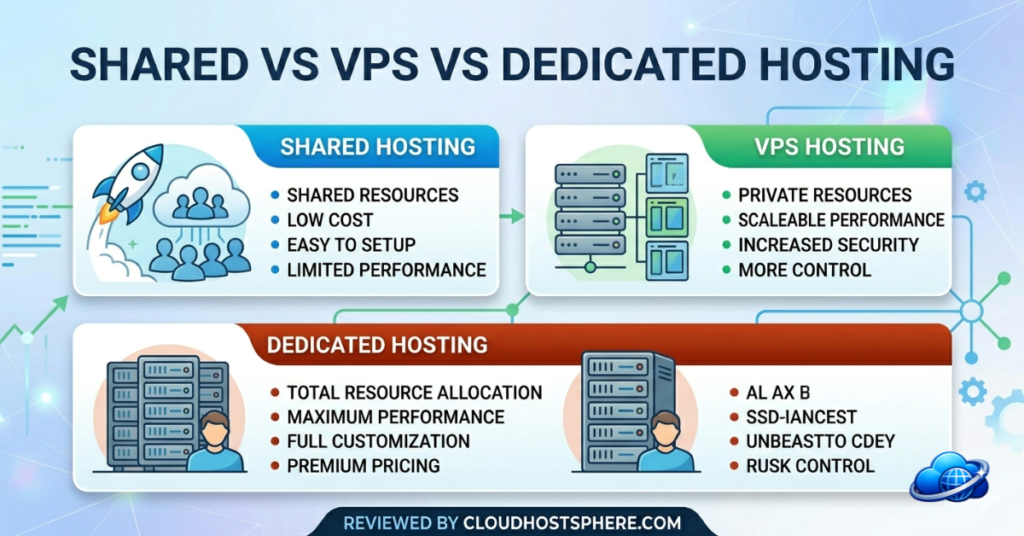
Shared, VPS, dedicated — three types of hosting that get thrown around constantly, but rarely explained clearly side by side. If you’ve ever wondered which one you actually need (and whether you’re currently on the wrong one), this guide cuts through the jargon. By the end, you’ll know exactly which type fits your site, your budget, and your ambitions — and when to upgrade.
⚡ The One-Line Summary of Each
- 🏠 Shared hosting — cheapest, easiest, share a server with hundreds of others
- 🏢 VPS hosting — your own private slice of a server, guaranteed resources, more power
- 🏰 Dedicated hosting — an entire physical server to yourself, maximum power and cost
Shared Hosting: The Starting Point
Shared hosting puts your website on a server alongside hundreds (sometimes thousands) of other sites. You all share the same CPU, RAM, and storage. Think of it as renting a bed in a shared dormitory — cheap, convenient, but you’re affected by what your neighbours do.
✅ Shared hosting is right for you if:
- You’re launching your first website or blog
- Traffic is low to moderate (under ~50,000 visits/month)
- Budget is your primary concern
- You don’t need custom server configuration
⚠️ Signs you’ve outgrown shared hosting:
- Pages loading slower than they used to
- Your host emails you about “resource limit” violations
- Site crashes during traffic spikes
- You need software your host won’t install
Typical cost: $2–$10/month | Best shared hosts: ChemiCloud, HostArmada, Hostinger, GreenGeeks
VPS Hosting: The Upgrade That Changes Everything
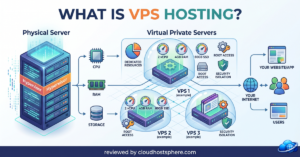
VPS stands for Virtual Private Server. Using virtualisation software, one physical server is divided into multiple isolated “virtual” servers. Each VPS has its own guaranteed CPU, RAM, and storage — completely private and unaffected by neighbours. You get dedicated power at a fraction of dedicated server cost.
Think of it as upgrading from that dorm bed to your own apartment — same building, but your own private space with your own utilities, your own front door, and no roommates eating your food.
✅ VPS hosting is right for you if:
- Your traffic is growing and performance has become inconsistent
- You run an online store where downtime costs money
- You need custom software, PHP configuration, or root access
- You’re hitting resource limits on shared hosting
- You want guaranteed, consistent performance under load
Managed vs Unmanaged VPS
This is the most important VPS decision. Managed VPS — the host handles security, updates, and server admin (best for most people). Unmanaged VPS — you get a raw server and full control, but you’re responsible for everything (best for developers).
Typical cost: $5–$50/month | Best VPS hosts: ScalaHosting (managed), Vultr (unmanaged), Cloudways (managed), InterServer (both), Kamatera (enterprise)
Dedicated Hosting: Maximum Power
With a dedicated server, you rent an entire physical machine — no virtualisation, no sharing, no neighbours. Every CPU core, every gigabyte of RAM, every byte of storage is yours alone. It’s the fastest, most powerful, and most expensive option.
✅ Dedicated hosting is right for you if:
- You run a very high-traffic site (millions of monthly visits)
- Your application has specific hardware requirements
- You need absolute maximum performance with no resource limits
- Security and compliance requirements demand physical isolation
Typical cost: $80–$300+/month | Most businesses never need dedicated hosting — a well-configured VPS handles serious traffic at a fraction of the cost.
Side-by-Side Comparison
| Feature | Shared | VPS | Dedicated |
|---|---|---|---|
| Resources | Shared | Guaranteed (private) | Entire server |
| Performance | Variable | Consistent | Maximum |
| Root Access | ❌ | ✅ | ✅ |
| Scalability | Limited | Easy | Hardware limits |
| Management | Host handles all | Managed or DIY | Usually DIY |
| Cost | $2–$10/mo | $5–$50/mo | $80–$300+/mo |
| Best for | Starters, small sites | Growing sites, stores | Enterprise, very high traffic |
There’s Also Cloud Hosting
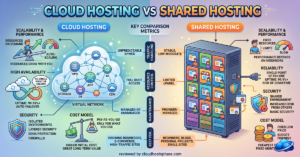
You’ll often hear “cloud hosting” as a fourth category. In practice, most modern VPS hosting is cloud hosting — your virtual server runs on a network of cloud infrastructure (like AWS or DigitalOcean) rather than a single physical machine. The advantage: if one server has a problem, your VPS migrates automatically. Cloud VPS also scales resources instantly. Providers like Cloudways, ScalaHosting, Vultr, and Kamatera all offer cloud VPS.
Which Should You Choose?
- Just starting out or small site? → Shared hosting. Start with ChemiCloud or Hostinger.
- Growing site, hitting resource limits, or running a store? → VPS. Try ScalaHosting managed VPS or Cloudways.
- Developer who wants full control at low cost? → Unmanaged VPS. Try Vultr or InterServer.
- Enterprise, very high traffic, specific compliance needs? → Dedicated. Or consider LiquidWeb’s managed dedicated options.
The Bottom Line
Most sites should start on shared hosting and move to a managed VPS when they start hitting limits — that’s the natural, cost-efficient progression. Dedicated servers are for a small minority of very high-traffic or compliance-sensitive use cases. The good news: the line between shared and VPS has blurred in 2026, with quality managed cloud VPS available at prices not far above shared hosting. When it’s time to upgrade, the move is easier and cheaper than it used to be.
Ready to Move to VPS?
See our full breakdown of the best VPS hosts in 2026 — managed and unmanaged, for every budget and use case.
See Best VPS Hosting 2026 →Related guides: what is VPS hosting?, cloud vs shared hosting, and how to choose WordPress hosting.
Last updated: June 8, 2026.