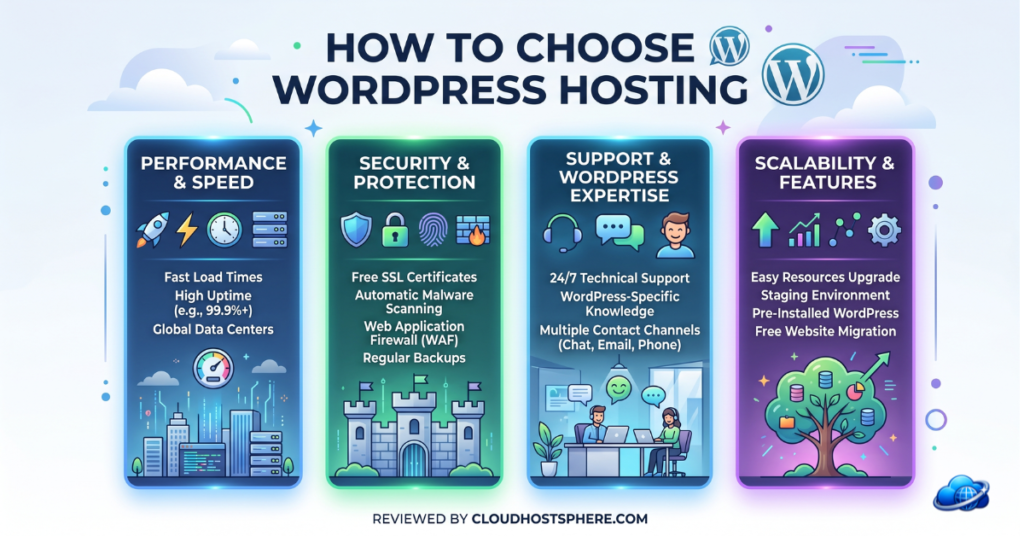
Choosing WordPress hosting in 2026 can feel overwhelming. There are hundreds of providers, dozens of hosting types, and every company claims to be “the fastest” and “the best.” But picking the right host doesn’t have to be complicated. This complete beginner’s guide walks you through exactly what to look for, what to ignore, and how to match a hosting provider to your specific needs — so you make the right choice the first time and avoid the costly hassle of migrating later.
📋 What This Guide Covers
The 7 factors that actually matter when choosing WordPress hosting, the different hosting types explained, how to match a host to your needs, and our recommendations for every budget and use case.
Step 1: Understand the Hosting Types
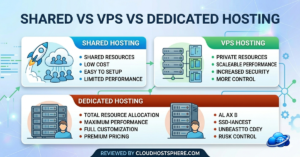
Before comparing providers, you need to understand the main types of WordPress hosting. Each suits a different stage of growth and budget.
| Hosting Type | Best For | Price Range |
|---|---|---|
| Shared Hosting | New blogs, small sites, beginners | $2–$10/mo |
| Cloud Hosting | Growing sites, businesses, stores | $11–$50/mo |
| Managed WordPress | Serious sites wanting hands-off management | $16–$100+/mo |
| VPS Hosting | Developers, high-traffic sites needing control | $5–$80/mo |
| Dedicated Server | Enterprise, very high traffic | $80–$500+/mo |
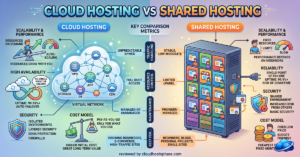
For a deeper breakdown, read our guide on cloud hosting vs shared hosting. For most beginners, the choice comes down to shared hosting (cheapest) or managed WordPress / cloud hosting (better performance).
Step 2: The 7 Factors That Actually Matter
1. Performance (Speed)
Site speed affects everything — user experience, conversions, and Google rankings. Google uses Core Web Vitals as a ranking factor, so a slow host directly hurts your SEO. Look for hosts that use LiteSpeed or Nginx web servers, NVMe or SSD storage, server-level caching, and a CDN. LiteSpeed-powered hosts like ChemiCloud, HostArmada, and Hosting.com consistently outperform standard Apache shared hosts.
2. Uptime & Reliability
Uptime is the percentage of time your site is online and accessible. Look for a guaranteed uptime of 99.9% or higher. Premium hosts like LiquidWeb offer a 100% uptime SLA with financial compensation. For most sites, 99.9% (about 8.7 hours of downtime per year) is acceptable; for businesses and stores, aim higher.
3. Customer Support
When something breaks, good support is priceless. Check for 24/7 availability, the channels offered (live chat, phone, ticket), and — critically — whether support staff are WordPress experts or general agents. Hosts like Kinsta staff their support entirely with WordPress engineers; SiteGround and AccuWebHosting offer phone support on all plans.
4. Pricing (Including Renewal)
This is where many beginners get caught. Most budget hosts advertise low promotional prices for the first term, then renew at 2–3x that rate. Always check the renewal price, not just the introductory offer. Also factor in what’s included: free domain, SSL, email, backups, and migration can add real value or hidden costs.
5. Storage & Bandwidth
Make sure the plan offers enough SSD/NVMe storage for your site and reasonable (or unmetered) bandwidth. For most blogs and small business sites, 10–30 GB of SSD storage is plenty. Avoid hosts that offer HDD storage — always choose SSD or NVMe.
6. Security Features
Look for free SSL certificates, daily automated backups, a Web Application Firewall (WAF), malware scanning, and DDoS protection. Backups are especially important — make sure they’re automatic and easy to restore. Some hosts include premium security suites like Imunify360 (ChemiCloud) at no extra cost.
7. Ease of Use & Migration
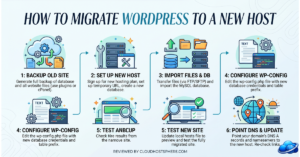
If you’re a beginner, a clean control panel matters. Look for one-click WordPress installation, an intuitive dashboard (hPanel, Site Tools, and MyKinsta are all excellent), and free migration if you’re moving an existing site. Most quality hosts will migrate your site for free — read our WordPress migration guide for the full process.
Step 3: Match a Host to Your Needs
Now that you know what to look for, here’s how to match a host to your specific situation:
| Your Situation | Recommended Host | Why |
|---|---|---|
| First blog, tight budget | Hostinger or ChemiCloud | LiteSpeed speed at budget prices |
| Beginner who wants hand-holding | Bluehost or DreamHost | Guided setup, WordPress.org recommended |
| Growing site / small business | Cloudways or SiteGround | Managed cloud performance, room to scale |
| WooCommerce store | LiquidWeb or Cloudways | Dedicated resources, PCI compliance |
| Agency / multiple client sites | Kinsta or WP Engine | Multi-site dashboards, dev tools |
| Developer needing control | DigitalOcean or AccuWebHosting | VPS flexibility, SSH/root access |
| Need phone support | SiteGround or AccuWebHosting | 24/7 phone on all plans |
Step 4: Red Flags to Avoid
- HDD storage — always choose SSD or NVMe
- No free SSL — SSL is standard and should never cost extra
- Hidden renewal pricing — if the renewal rate isn’t clearly shown, be cautious
- No money-back guarantee — quality hosts offer at least 30 days
- Vague uptime claims — look for a specific guaranteed percentage
- Aggressive upsells — some hosts bury essential features behind add-ons
Step 5: Test Before You Commit
The money-back guarantee is your friend. Most quality hosts offer 30 days; DreamHost offers a remarkable 97 days. Use this window to actually test the host: install WordPress, add some content, run speed tests (GTmetrix, PageSpeed Insights), and contact support with a question to gauge response quality. If anything disappoints, you can get a full refund and try another host.
Our Top Recommendations by Budget
💰 Budget (Under $5/mo)
ChemiCloud, HostArmada, or Hostinger — LiteSpeed speed at the lowest prices.
Read ChemiCloud Review →⚖️ Mid-Range ($6–$20/mo)
SiteGround or Cloudways — managed performance and room to grow.
Read Cloudways Review →🚀 Premium ($35+/mo)
Kinsta, LiquidWeb, or WP Engine — top-tier performance and support.
See Top 7 Ranked →Final Advice
Don’t overthink it. The single most important factors for most people are performance, support, and honest pricing. Start with a host that matches your current needs and budget — you can always upgrade or migrate as your site grows (and quality hosts make migration free and painless). Use the money-back guarantee to test risk-free, and don’t be swayed by marketing hype: focus on real performance benchmarks, genuine support quality, and transparent renewal pricing. Make a confident choice, and get your site online.
🎯 Still Not Sure?
Read our hands-on reviews of every major host, or jump straight to our ranked list of the best managed WordPress hosting for 2026.
See Our Top Picks →Last updated: June 1, 2026.